The guided setup
Nine steps in three parts, one task at a time: connect Telegram and a broker account, build your first cockpit, test it, and go live.
Written for TradeMirrorly 1.7.3 · Updated
The guided setup takes you from your license key to a tested cockpit in nine steps, one task at a time. The app says it takes about five minutes.

When does the guided setup open?
It opens after you sign in when none of your accounts has a cockpit yet. A new license key is answered with a welcome: your plan, when it ends, and the three parts to come, with Let's begin.
To run it again later, open Settings and click Run the guided setup. What you already set up stays.
What are the nine steps?
| Part | Steps | What you do |
|---|---|---|
| Connect | License, Telegram, Broker | Paste your key, sign in to Telegram and connect one trading account. |
| Your cockpit | Source, Rules, Destination, Cockpit | Pick one source, set its basic rules, choose the account, and see the map of it all. |
| Go live | Test, Done | Test the cockpit, then start copying. |
How is the trading account connected?
- MetaTrader 4 or 5: the app finds MetaTrader on your computer (or use Browse for a portable one). One button does the next thing: download it, open it once, or Connect, which installs the EA and opens MetaTrader with it on a chart.
- The account number comes from the EA. Click Use this account: there is nothing to type.
- If MetaTrader isn't logged in, for example because a demo account has expired, the step says so.
- TradeLocker or Match-Trader: sign in on the step itself.
- The setup connects one account. Add more later in My brokers.
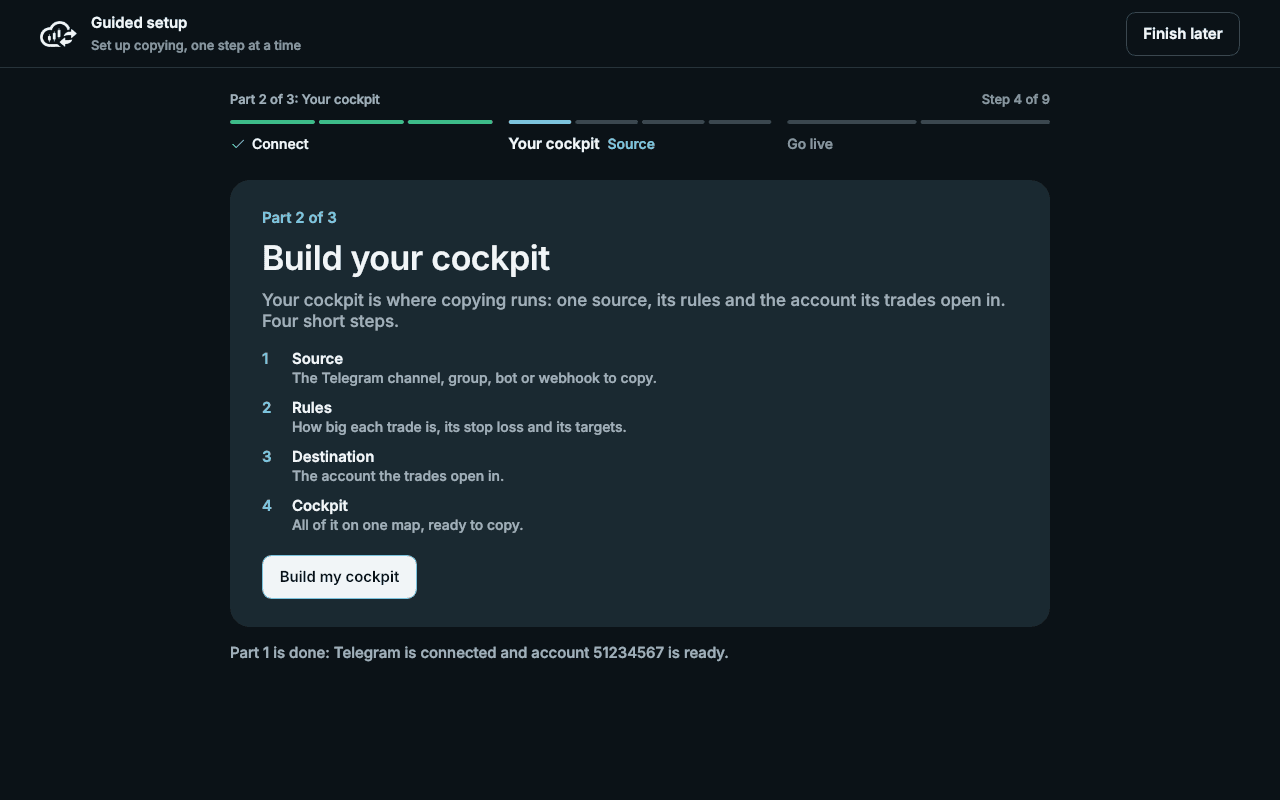
What happens in Your cockpit?
- 1Source: pick one Telegram chat, with its picture and last message, or a webhook.
- 2Rules: the everyday trade settings, and your broker's names for the common symbols with one click (Write these names into the rules).
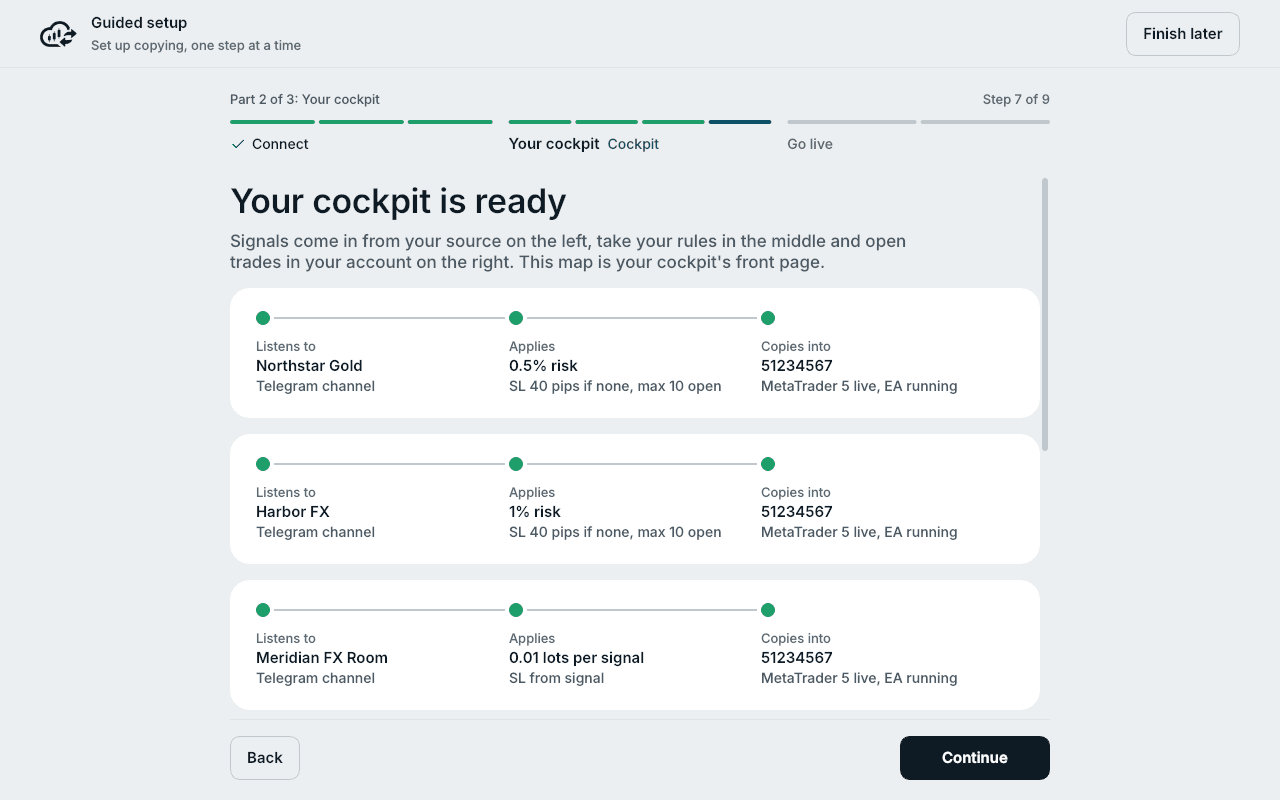
- 3Destination: the account as one card, from source to rules to account. Copy into this account makes the cockpit.
- 4Cockpit: the map of your cockpit, whether copying is on, and Resume copying if it is paused.
What does the test do?
Pick a sample signal, such as Buy now or Sell limit, and click Read it: the app reads it at your broker's own price, through your cockpit's rules, and nothing goes out. Use the next real message reads your source's next post the same way.
Send the test order places a real limit order far from the price, waits for the result, and Remove the test order deletes it again. Moving on removes it too. On a live account the app asks you first.
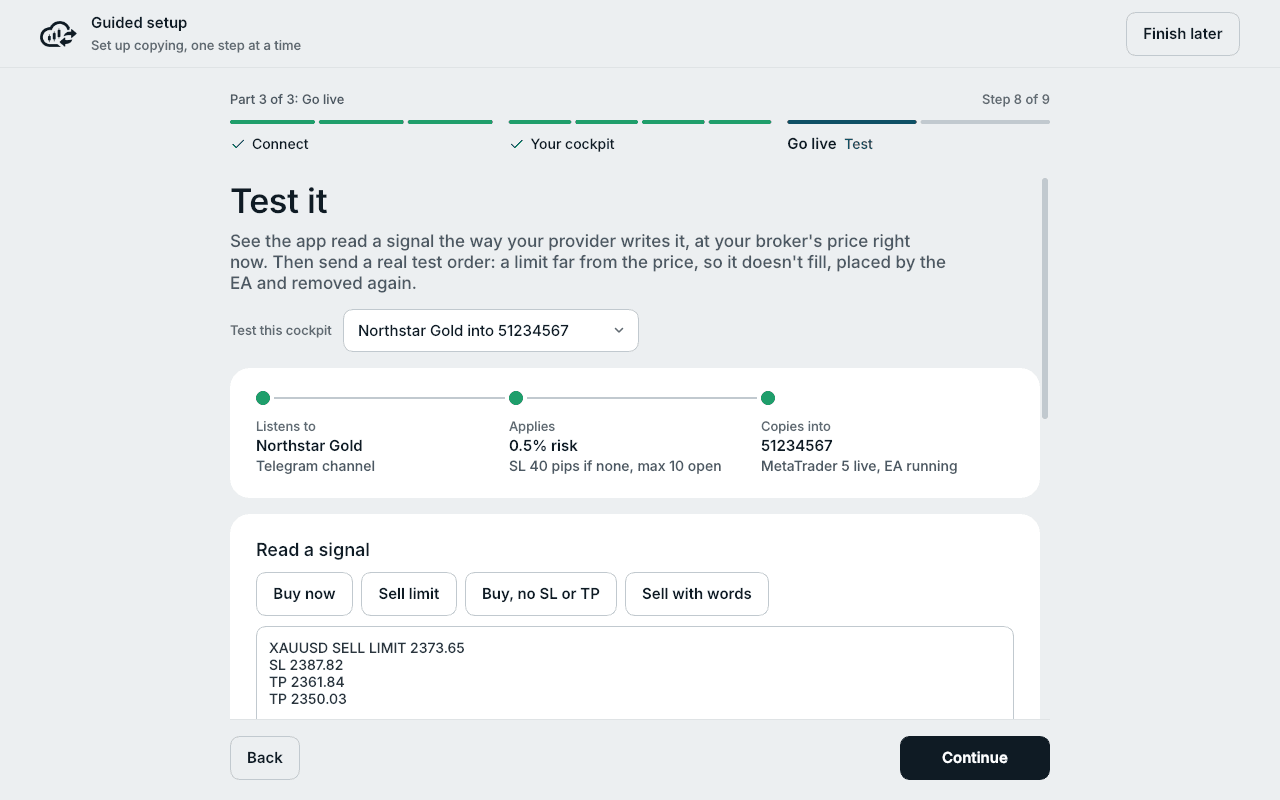
The test uses an instrument that is trading now at your broker: gold on weekdays, Bitcoin when forex is closed. When gold isn't trading, the step says so.
Can I stop halfway?
Yes. The setup keeps your place after every step, also across a restart. Finish later takes you to the dashboard, and you come back to the same step.
Done says you're copying, or what still holds it, with Open my cockpit.
More cockpits come later from the Cockpit page: see the Cockpit.
Try it on a demo account first
Monthly and yearly plans start with a 3-day free trial. The guided setup takes about five minutes.
More in this topic
What is TradeMirrorly?
A desktop app for Windows and macOS that copies the Telegram signals and TradingView alerts you choose to your MT4, MT5, TradeLocker or Match-Trader account.
How trade copying works
What happens between a signal posted on Telegram and a trade on your account, step by step, and where each step shows in the app.
Recommended setup checklist
The order for the smoothest setup: trial and license key, then the guided setup (Telegram, a broker account, your first cockpit, a test), then History.
Home at a glance
Home says first whether copying works, then the account, positions beside the latest signals, how copying has paid, what is coming and your broker's prices.