Version 1.7.3 · 17 November 2026

What's new in TradeMirrorly 1.7.3

A calmer, redesigned app, and a Home that says first whether copying is working, then shows your account, your open positions and the latest signals.

Already using TradeMirrorly? It sees 1.7.3 within 6 hours and installs it at its daily restart. New here? The download is on your account's Downloads page.

Across the app

A calmer app, on every page

The same copier and the same settings, redesigned so the thing that matters is the first thing you see.

What changed everywhere in 1.7.3

  • A new look on every page: the Inter typeface, soft backgrounds and one accent colour
  • The sidebar in three groups, Copying, Review and App, with the version under the logo
  • A status card at the foot of the sidebar: whether copying is on and for how long, the last signal, anything that needs you, and Pause copying
  • Pages, tabs and setup steps cross-fade, with a load line while something loads, and Back sits at the top left of every page you open from another
  • Light and dark switch in a quarter of a second, down from 2.2 seconds; choose the theme under Settings › General
  • Settings: a search box, sections at the left, the license with usage meters and your computers, and the shortcuts shown as keys
  • Ctrl+1 to Ctrl+8 open the eight pages: Home, Cockpit, Sources, My brokers, History, Journal, News and Settings
  • Fixes: no text or chip is cut off, Home fits the smallest window, and no window flashes up for a moment

New in 1.7.3

What changed, page by page

Each card shows the page as it looks now, with the demo account's sample data.

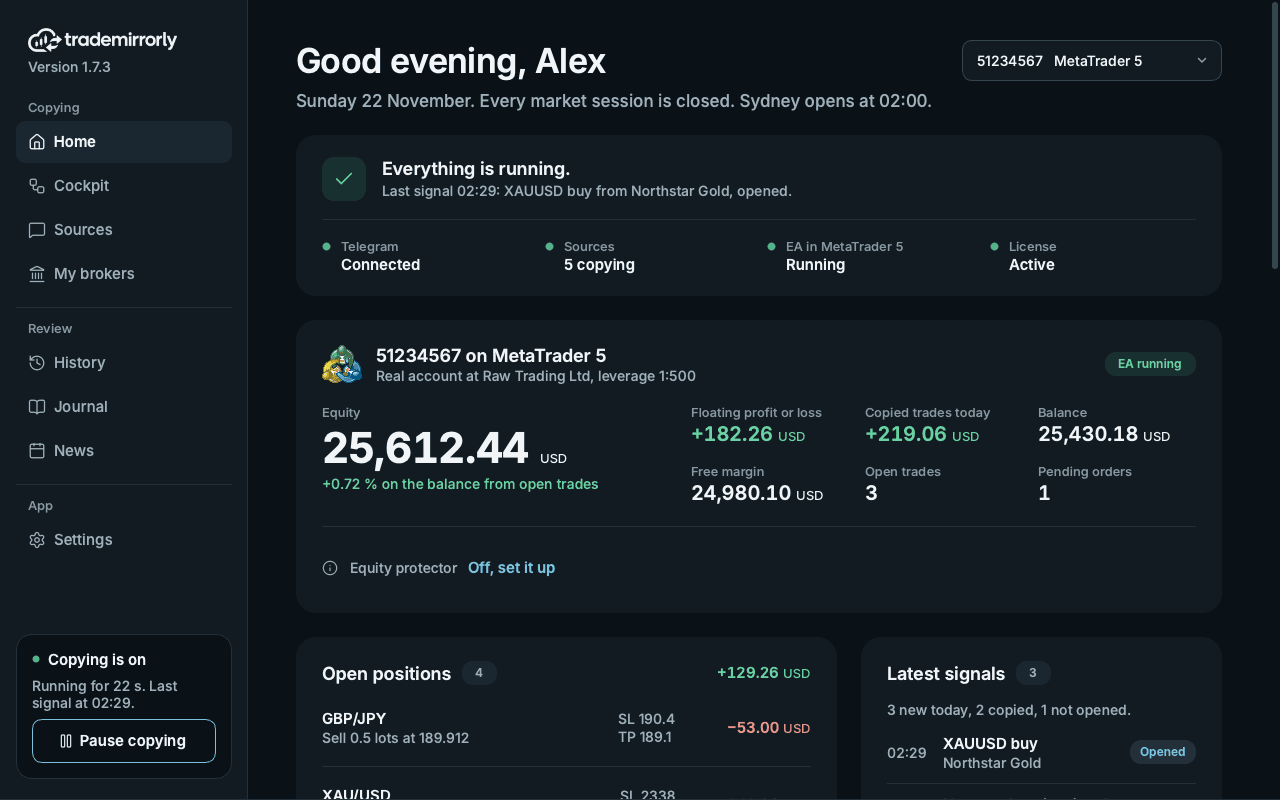
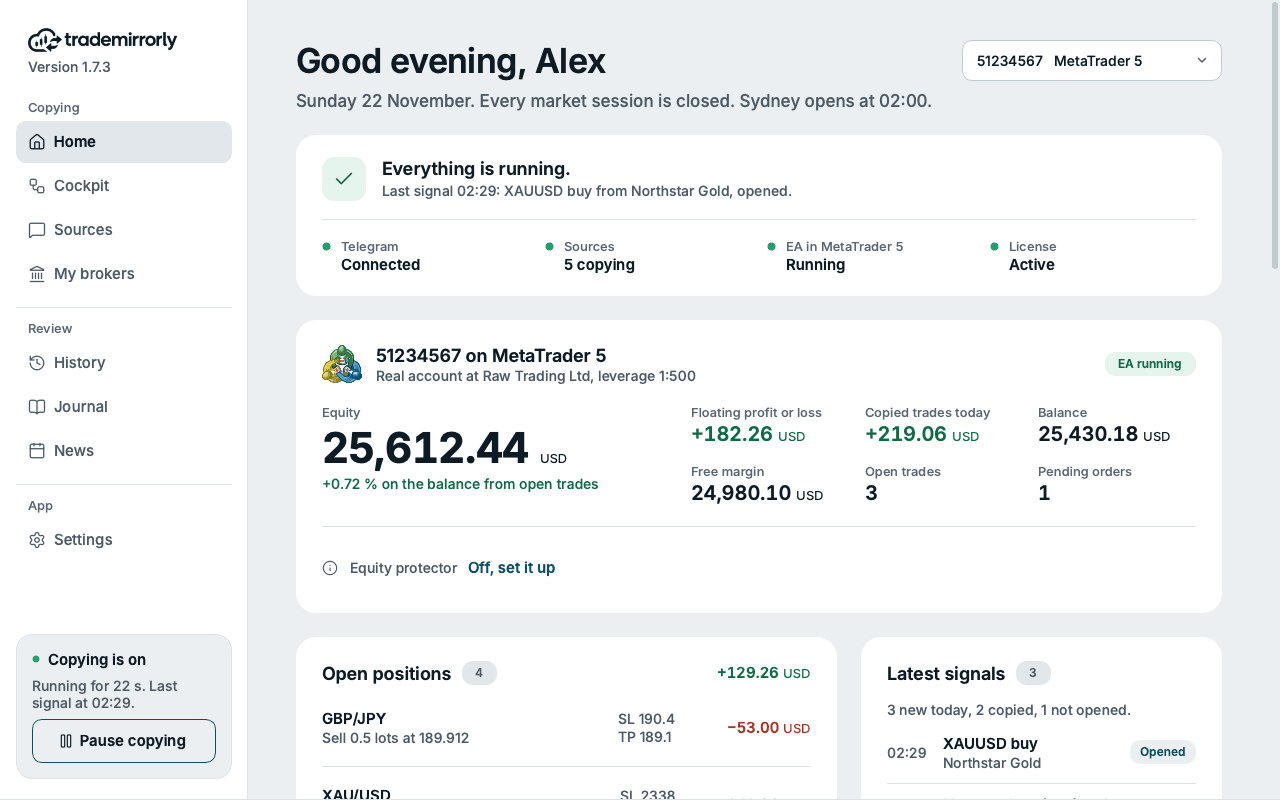
  • A new Home, in the order you look

    Is copying working, then your account, then what is open.

    • One sentence says whether copying works, with the button that fixes it, and the last signal and what became of it
    • Telegram, your sources, the EA or platform, and the license, each with a dot and its state
    • The account now: equity as the big figure, floating profit or loss, today's copied result, balance, free margin, open trades and pending orders
    • New: your open positions, with their live profit or loss, SL and TP, beside the latest signals and today's counts
    • How copying has paid, beside what is coming: the next high-impact releases with a countdown, and the market sessions
    • Each account shows its platform's emblem, and today's copied result includes the open trades
    • With several accounts, pick the one Home shows; the others are listed under the positions
    TradeMirrorly Home: everything running, the MetaTrader 5 account's equity and today's copied result, open positions and the latest signalsTradeMirrorly Home: everything running, the MetaTrader 5 account's equity and today's copied result, open positions and the latest signals
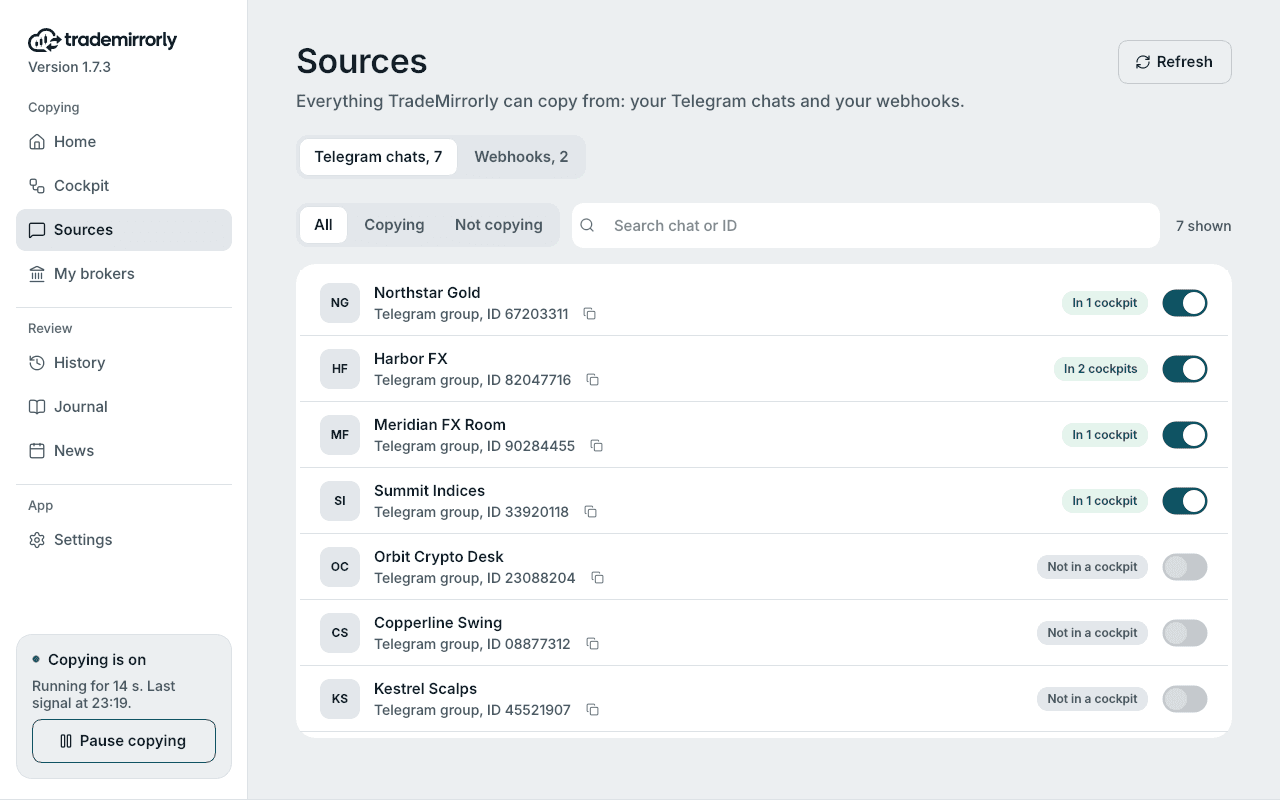
  • Sources: chats and webhooks on one page

    Everything TradeMirrorly can copy from.

    • Your Telegram chats and your webhooks are the two tabs of one Sources page
    • What copies is listed first
    • Filter by Copying or Not copying, and search by name or ID
    • Each chat shows how many cockpits it is in, beside its switch
    Sources: every Telegram chat with its id, a switch, and how many cockpits it is in
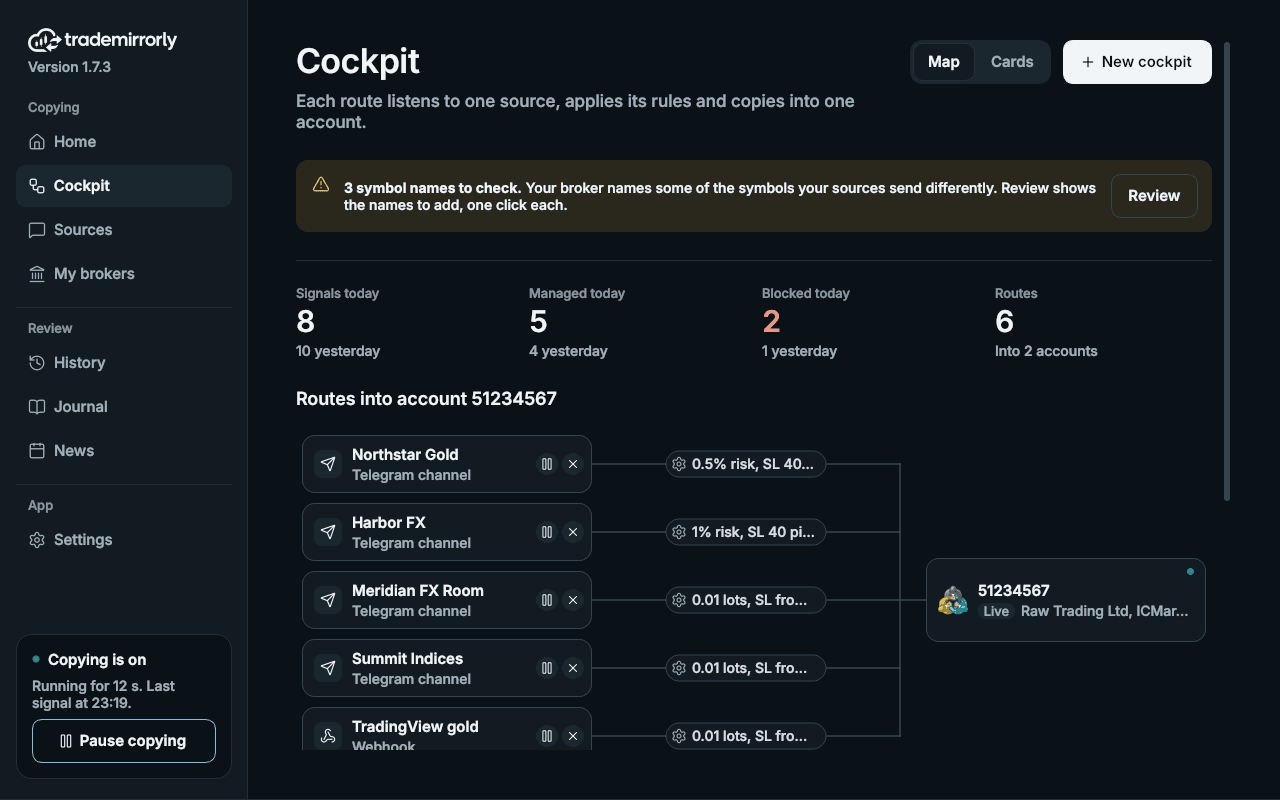
  • The Cockpit, a card per route

    What each route listens to, applies and copies into.

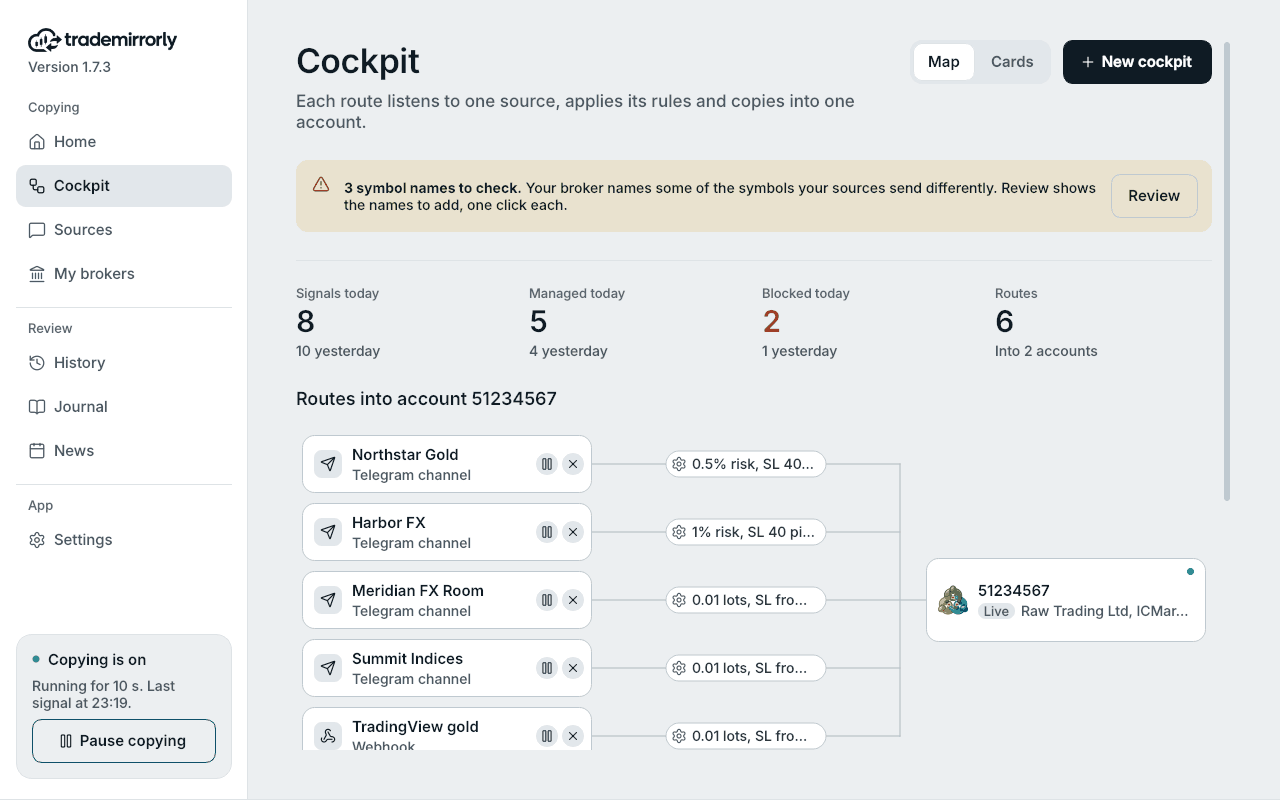
    • The map is back: every source joins its account at a glance, beside a card per route
    • Each card: Listens to, Applies and Copies into, with one Configuration button, pause and remove
    • Today's signals, managed, blocked, and your routes, as four figures at the top
    • Notes for what needs you: the EA, trade settings and symbol names
    • A section per account, each with a tile that adds a source to it
    The Cockpit: six routes into two accounts, each with its source, its rules and the account it copies intoThe Cockpit: six routes into two accounts, each with its source, its rules and the account it copies into
  • History: the details under each signal

    What happened, without leaving the list.

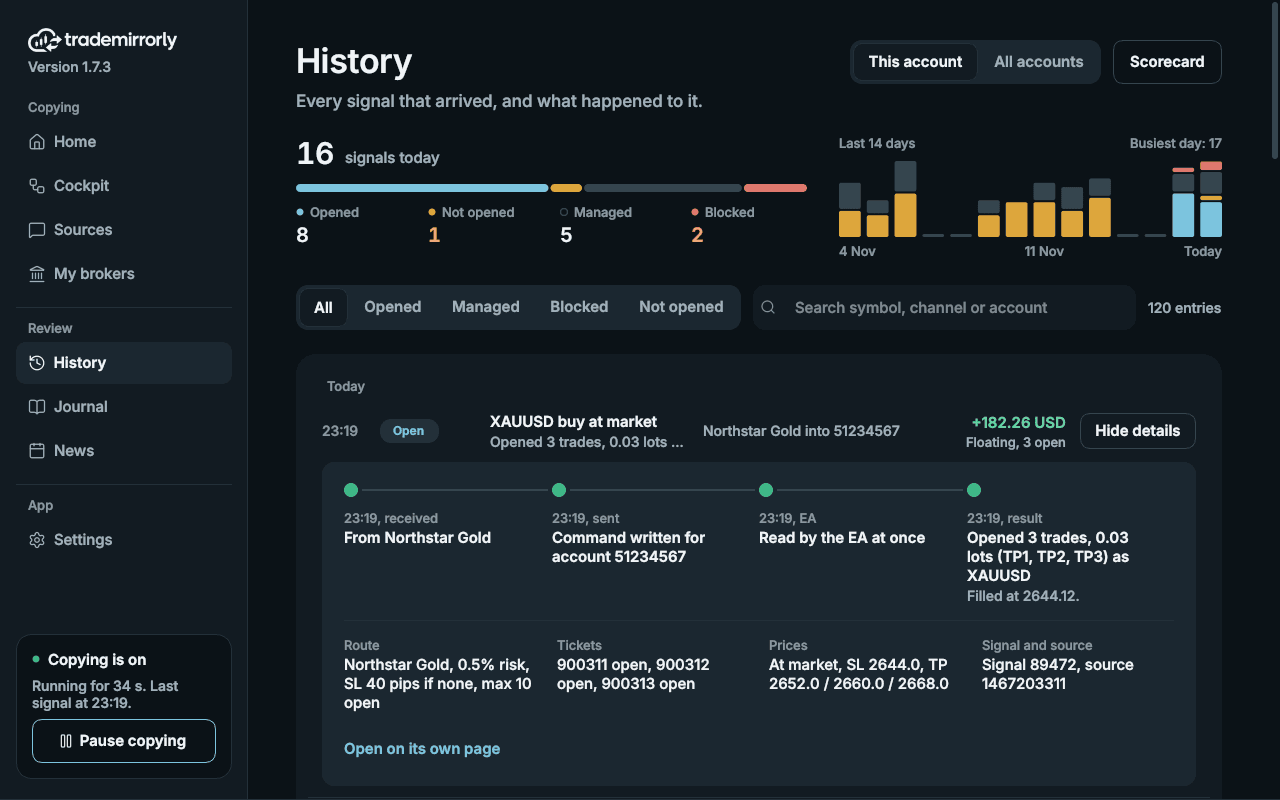
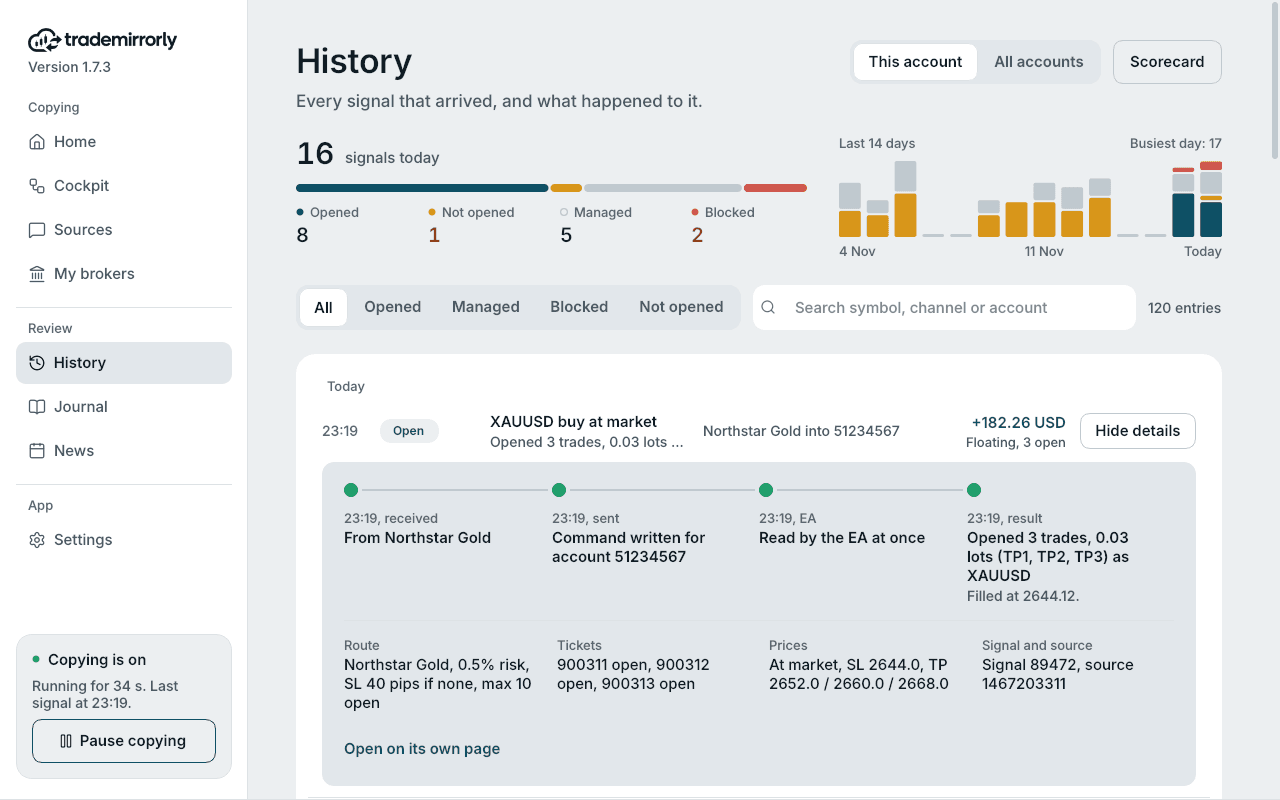
    • Details open under a signal's row: its timeline, then the route, tickets, prices and IDs, with a link to its own page
    • Why today's signals weren't opened, said once above the list
    • Today's numbers, and the last 14 days as day bars
    • The Scorecard with its figures and insights side by side, and a simpler page per signal
    • Signals posted while the app was closed no longer fill History with a day of skipped rows
    History: every signal on one line, with what became of itHistory: every signal on one line, with what became of it
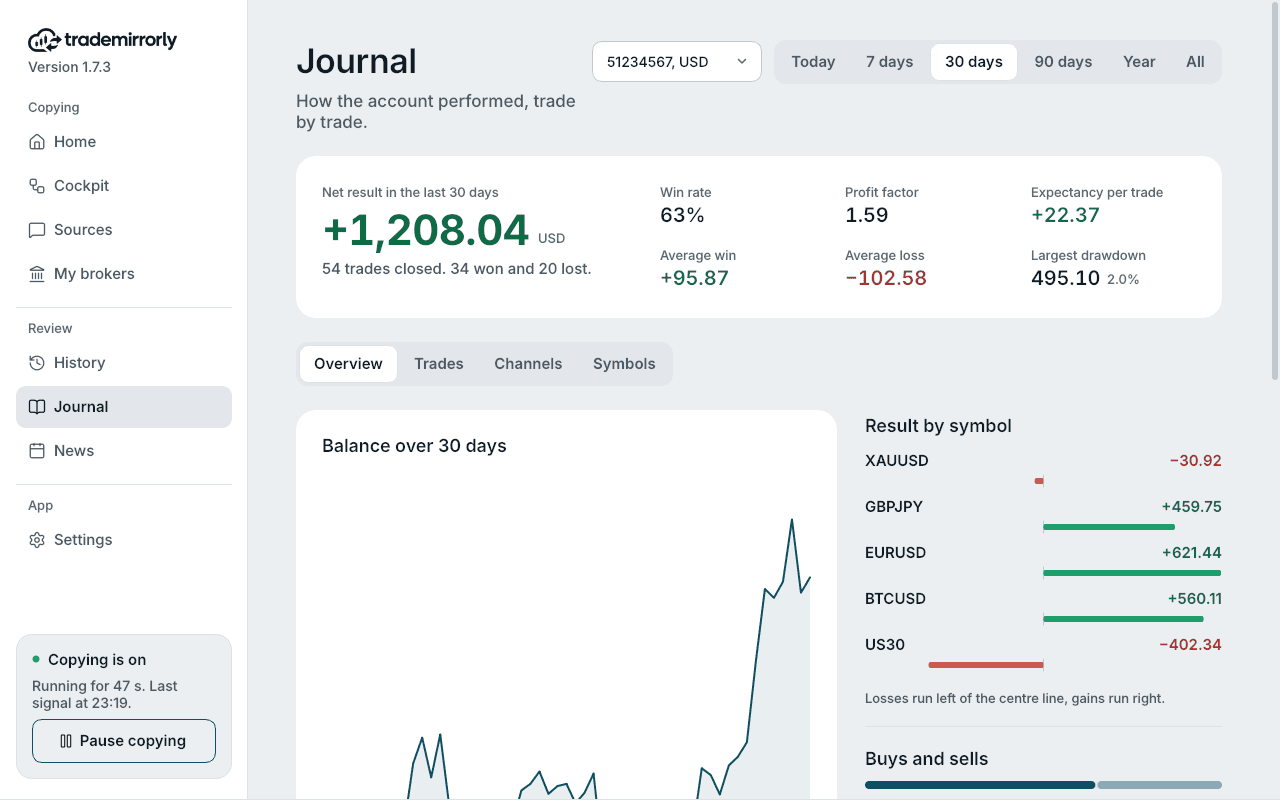
  • The Journal, redesigned (Pro)

    Your account's results, trade by trade.

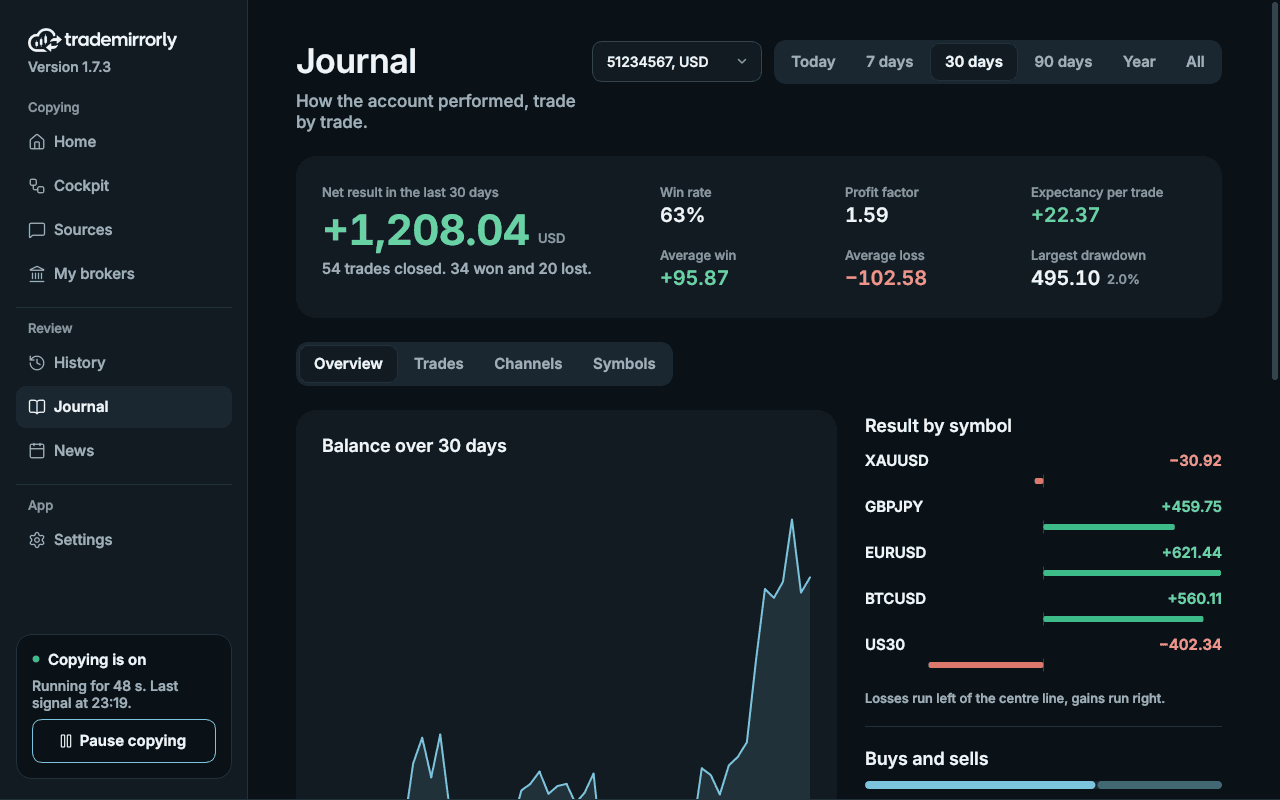
    • The account and the period at the top
    • A result card: the net result, a sentence about it and six figures
    • The balance line beside the result by symbol, buys and sells, and what is open now
    • The month's calendar as tinted day tiles; Trades and Symbols as tables
    • A Channels tab scores each channel's trades in the period, the best first
    The trade Journal: net result, profit factor, win rate, drawdown, balance and symbolsThe trade Journal: net result, profit factor, win rate, drawdown, balance and symbols
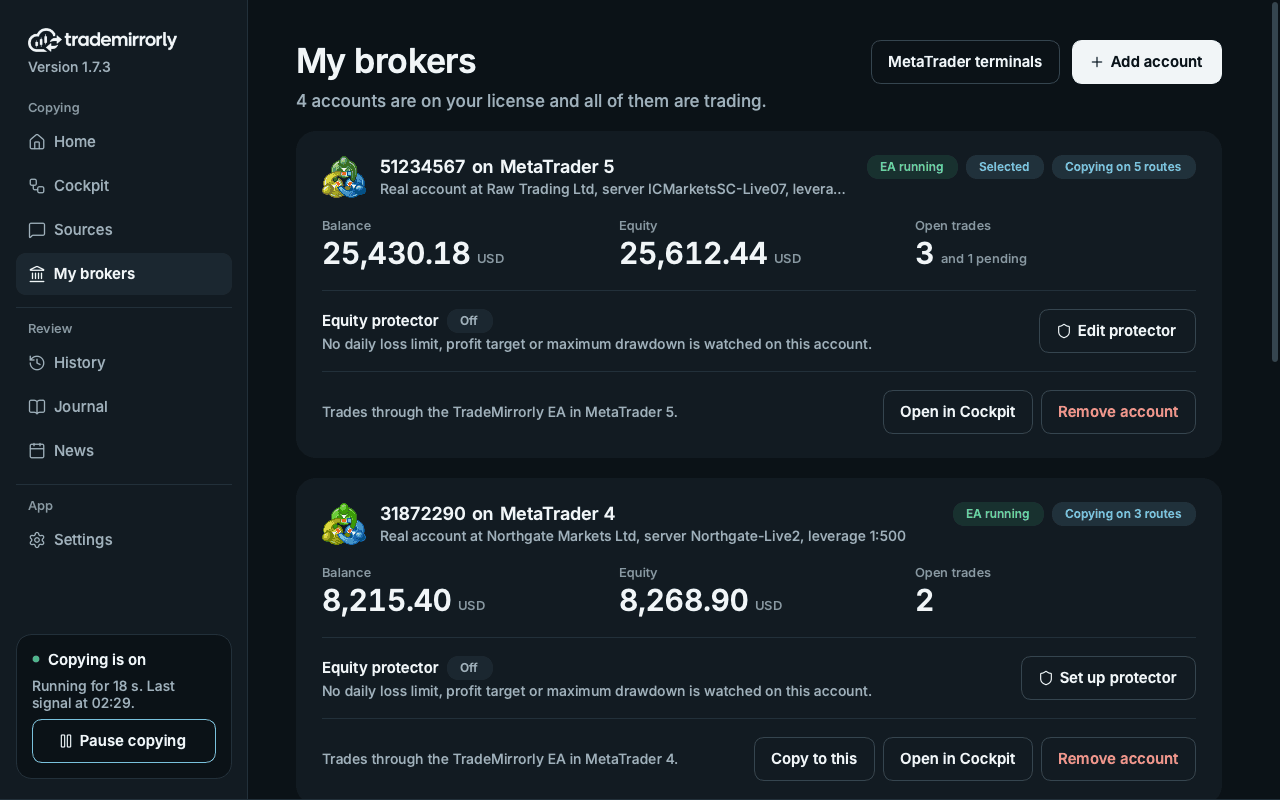
  • My brokers and Add account

    Every account as a card, and adding one in a few clicks.

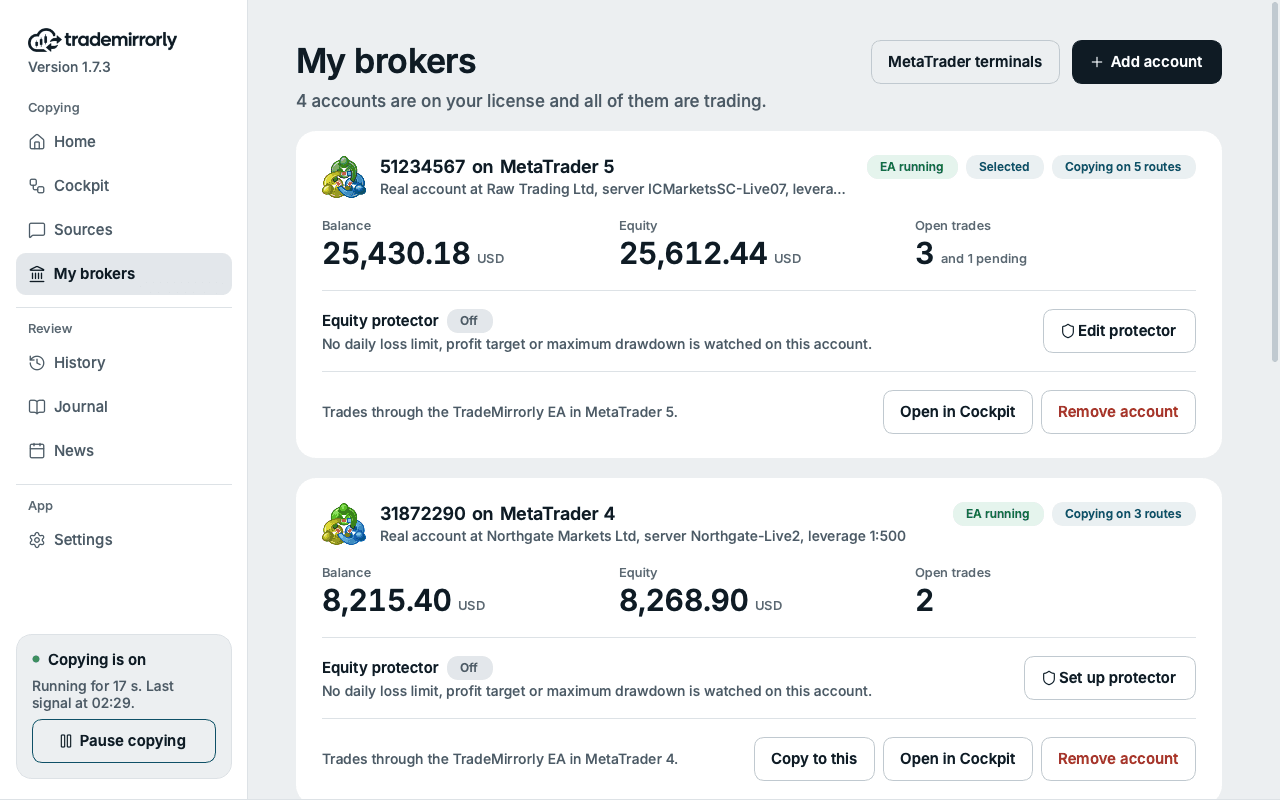
    • Account cards: the platform's emblem, the account's state, the routes it copies on, balance, equity and open trades
    • Add account is its own page: pick the platform, then the account
    • For MetaTrader, Add account picks the account your EA reports, so there is nothing to type; typing it is one link away
    • The equity protector's form shows what it watches, when it steps in and what it does, with your limits in money beside it
    • MetaTrader terminals as cards: the EA, MetaTrader and the account it reports for
    My brokers: four accounts on the license, all trading, with the MetaTrader 5 and MetaTrader 4 cards in viewMy brokers: four accounts on the license, all trading, with the MetaTrader 5 and MetaTrader 4 cards in view
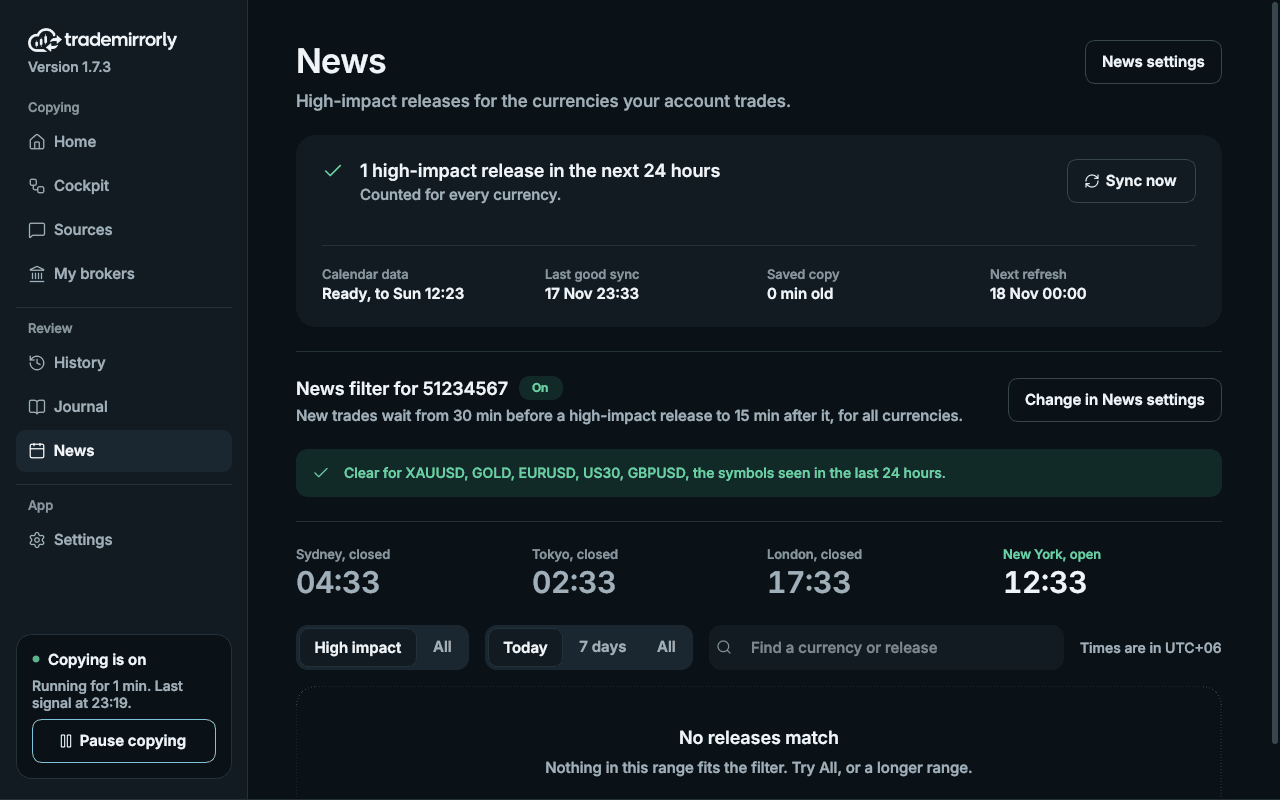
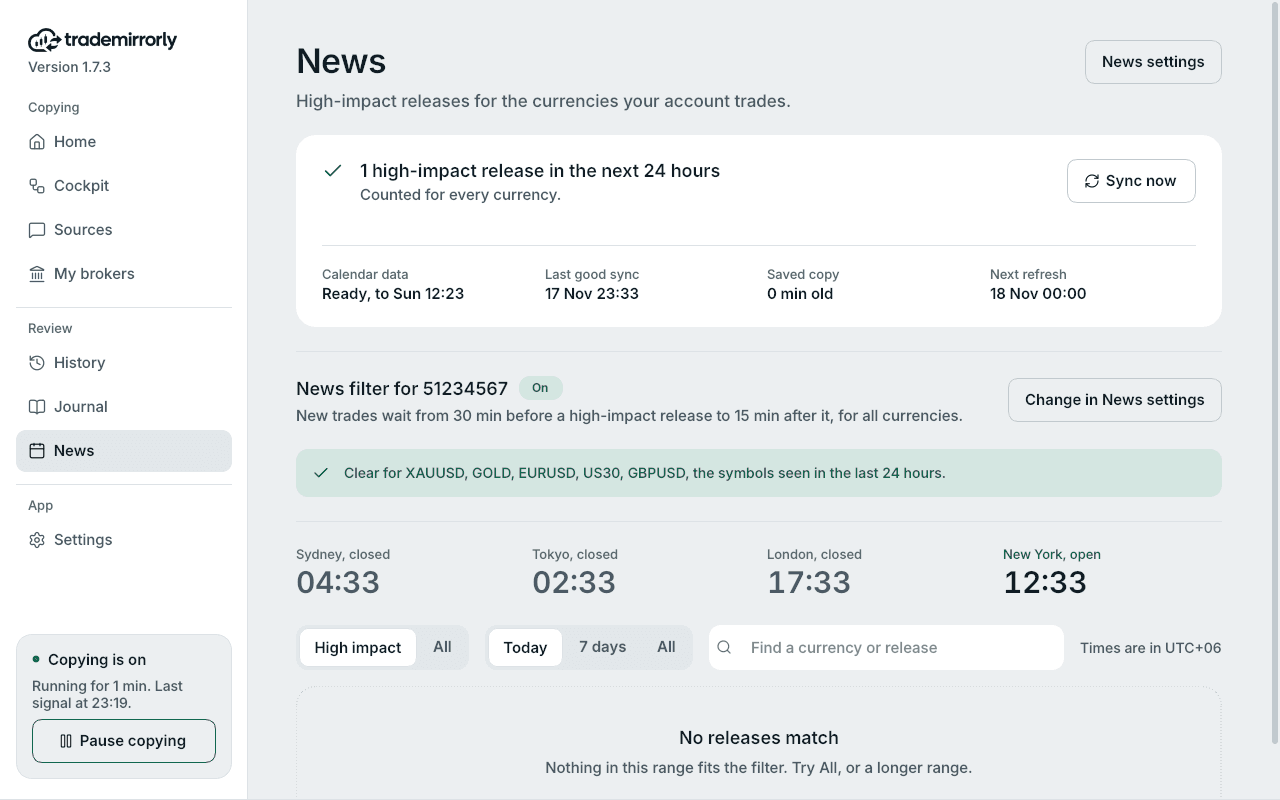
  • News from TradeMirrorly's own calendar

    The calendar the news filter uses, kept fresh for everyone.

    • The economic calendar now comes from TradeMirrorly's service, with the provider as a fallback
    • Synced when the app starts and every 6 hours, whether or not your news filter is on
    • The four market sessions as clocks on the News page
    • News settings draw the wait window as a line: when new trades start waiting, the release, when copying picks up again
    The economic calendar and the news filterThe economic calendar and the news filter
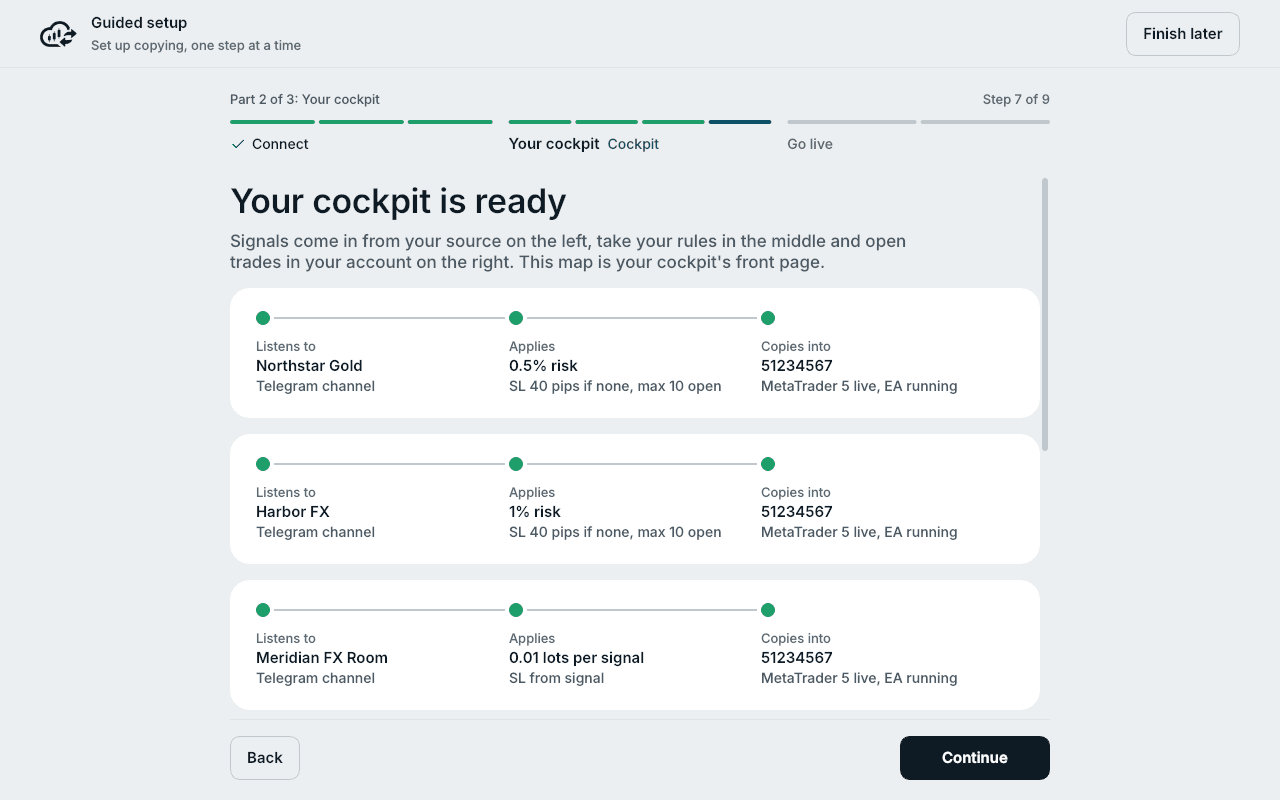
  • A calmer guided setup

    The same nine steps, easier to follow.

    • Pick your sources with a switch
    • The cockpit's map is as tall as its routes
    • The test shows the cockpit it runs through
    • A calmer sign-in: one card, with the QR code on white
    The guided setup's Cockpit step: your cockpit is ready, each source with its rules and the account it copies into

TradeMirrorly 1.7.3 came out on 17 November 2026, after 1.7.0 to 1.7.2 that week; together they are everything new since 1.6.4.

Screens are from the app's demo account, with sample data, not anyone's results.

Every feature

Everything in the app, in one list

The whole of TradeMirrorly 1.7.3. Every plan has all of it, except where it says Pro.

  • Sources

    Where your signals come from.

    • Telegram channels, groups and bots
    • Forum topics as sources of their own: each topic of a group can be a cockpit, with its own keywords, rules and account
    • TradingView alerts and any webhook (Pro)
    • Sign in by QR code or phone number; two-step passwords supported
    • Sources lists every Telegram chat and webhook with its id; a chat's switch pauses or resumes every cockpit it is in
    Sources: every Telegram chat with its id, a switch, and how many cockpits it is in
  • Platforms

    Where your trades go.

    • MetaTrader 4 and 5 through the TradeMirrorly EA, installed and kept up to date by the app
    • TradeLocker and Match-Trader traded by the app itself, demo or live, no EA
    • Any number of accounts within your plan; one signal to several accounts
    • The Cockpit: each source, its rules and its account as a map, one per account; New cockpit adds one
    • A guided setup in three parts (Connect, Your cockpit, Go live) with a real test order
    My brokers: four accounts on the license, all trading, with the MetaTrader 5 and MetaTrader 4 cards in viewMy brokers: four accounts on the license, all trading, with the MetaTrader 5 and MetaTrader 4 cards in view
  • Reading signals

    No keywords to set up for most channels.

    • BUY/SELL, SL, any number of TPs, entry prices, market and pending orders
    • 11 languages built in: English, Spanish, French, German, Italian, Hungarian, Swedish, Russian, Arabic, Thai and Chinese
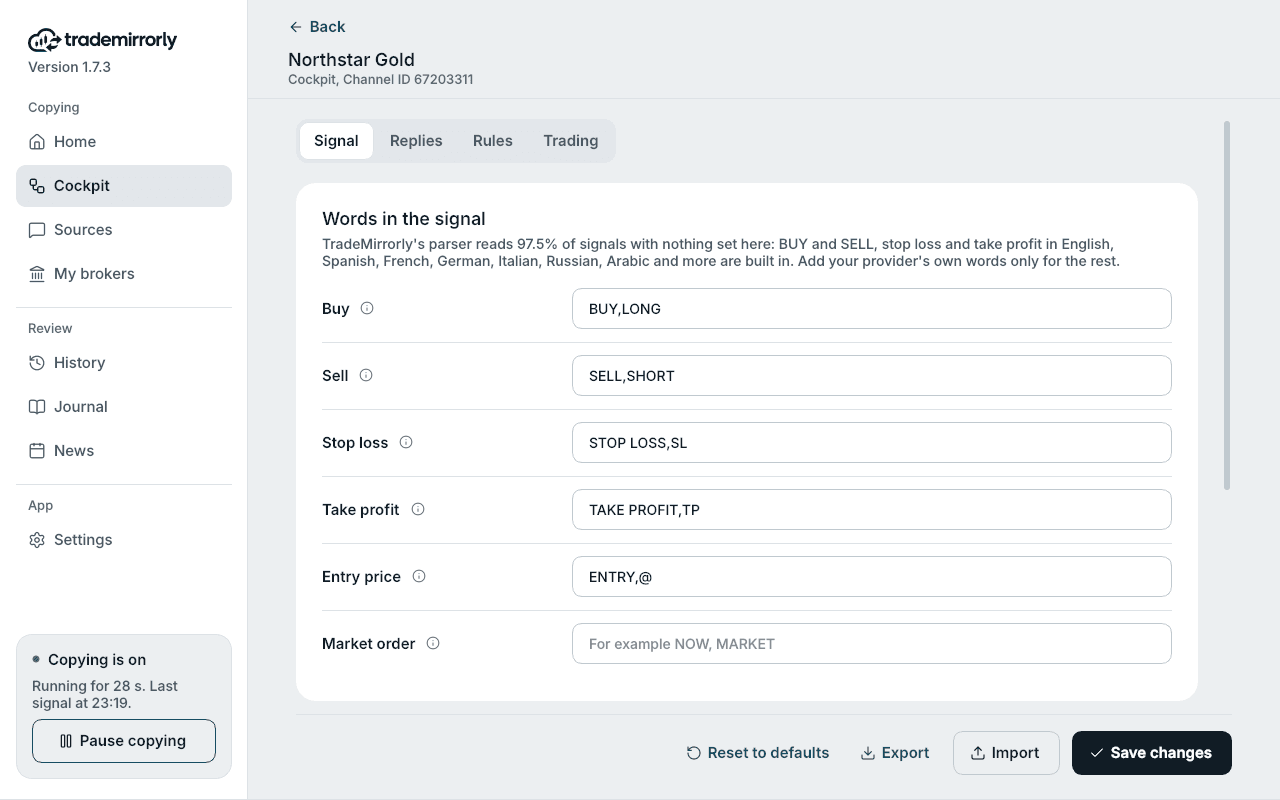
    • Each channel's own words when it needs them, with suggestions while you type
    • Replies: close, close half or part, breakeven, TP hit, move SL or TP, cancel a pending order
    • Several orders in one message
    • Edits of a signal and forwarded messages (both optional), ignore words, delays
    A channel's signal words, with the built-in reading
  • Trade settings (64, per channel)

    Your size and your rules, for each channel.

    • Size: lots, money at risk or % of balance; per-symbol sizes
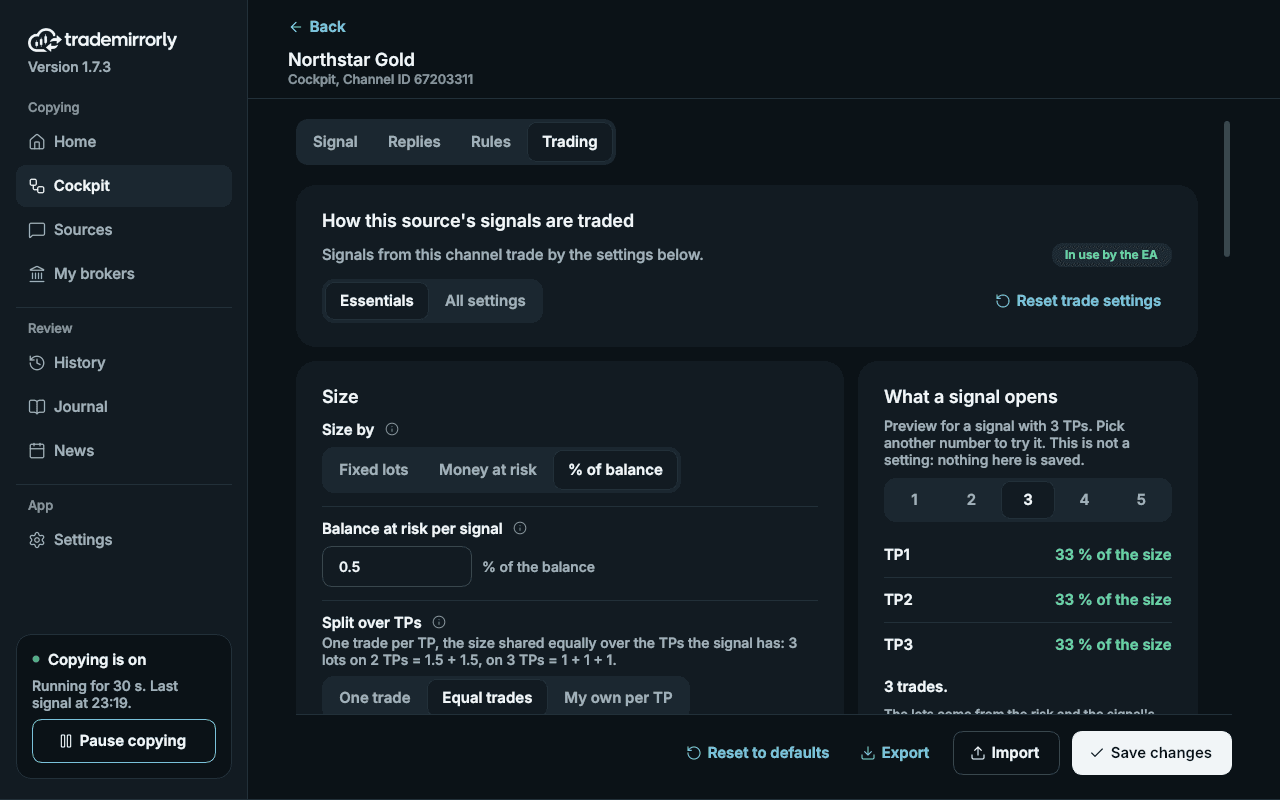
    • Split over TPs: one trade, equal trades, or your own share per TP, with a preview of what a signal opens
    • Entry: market range, market orders only, entry/SL/TP shifts, spread in stops, reverse signals
    • SL and TP: from the signal, fixed, your own TPs, or risk:reward
    • Rules: symbol already open, close opposite trades, max open trades, max per symbol, max signal delay, daily loss limit, trading hours, skip signals with no SL or no TP
    • Management: breakeven (+ pips), partial and half close, auto breakeven, smart profit lock, move SL on TP hits, trailing stop, pending order expiry
    • Symbols: auto-match, symbol mapping, prefix and suffix, excluded and only-these symbols
    Trade settings: size by % of balance, split equally over the TPs
  • Knowing what happened

    Never learn from silence.

    • History: every signal and what became of it, and a page per signal with its timeline (received, sent, read by the EA, filled price, tickets)
    • In sync with your account: every signal, what the EA did and its result on your account page, from any browser
    • Desktop alerts, including for each trade that didn't open, with the reason
    • Channel scorecard, and NONE COPIED on a channel whose last signals all failed
    • Journal (Pro): every trade, profit factor, drawdown, balance, calendar, symbols
    • Home, in the order you look: is copying working, the account now, open positions beside the latest signals, how copying has paid beside what is coming, and your broker's prices
    • Market sessions on Home and the News page: Sydney, Tokyo, London and New York, with when each opens or closes
    TradeMirrorly Home: everything running, the MetaTrader 5 account's equity and today's copied result, open positions and the latest signalsTradeMirrorly Home: everything running, the MetaTrader 5 account's equity and today's copied result, open positions and the latest signals
  • Safety and reliability

    Built for the moments that cost money.

    • Equity protector per account: daily loss limit, daily profit target and max drawdown; stop new trades or close everything
    • News filter per account, with a policy for when the calendar can't answer
    • Never trades a stale signal (2 minutes); closes and changes still run
    • Each message copied once, however it arrived
    • Reconnects by itself and fetches what was posted meanwhile
    • Works offline for up to 7 days on the last license check
    • If Telegram ends the session, the app says so and opens the sign-in; your channels and settings stay as they were
    • Pause in one click: new trades stop, closes and changes keep running
    The economic calendar and the news filterThe economic calendar and the news filter
  • Your computer, your data

    What's yours stays on your machine.

    • Telegram session and trade settings stay on your computer; message text is never uploaded
    • Your account keeps History's signals (without their words) and, with Pro, the Journal's trades, so a reinstall keeps them
    • TradeLocker and Match-Trader passwords sealed by Windows or the Mac Keychain
    • Never marks messages read or reacts unless you turn it on; never shows you online
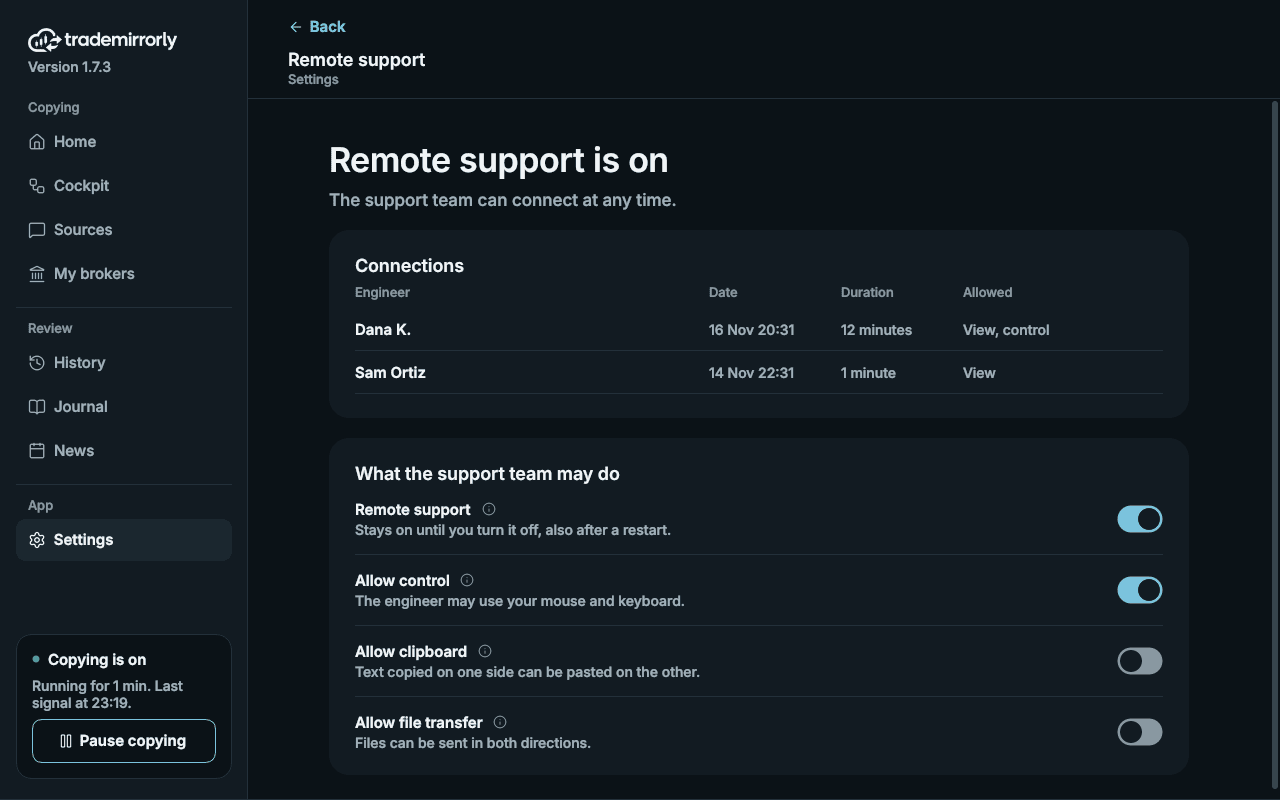
    • Remote support only when you switch it on
    Remote support switched on: each connection logged, and what the support team may do
  • The app

    Runs quietly while you get on with your day.

    • Windows and macOS; a calm design, in light or dark
    • A status card in the sidebar: whether copying is on and for how long, the last signal, and anything that needs you
    • Updates itself, and the EA with it; the app tells you when to restart MetaTrader
    • Lives in the tray; restarts itself every 12 hours to stay fresh, keeping pause and every setting
    TradeMirrorly Home: everything running, the MetaTrader 5 account's equity and today's copied result, open positions and the latest signals

Three minutes from now, you could be copying.

Start the 3-day free trial. Try it on a demo account first, and cancel anytime.