The trade Journal · Pro
Your trading journal, filled in for you
Every trade of your accounts, with nothing to export or import: the copier's, your own and other EAs'.
The Journal comes with Pro Advantage.Compare plans
- Windows and macOS
- Any broker, demo or live
- Your data stays on your computer
- Cancel anytime

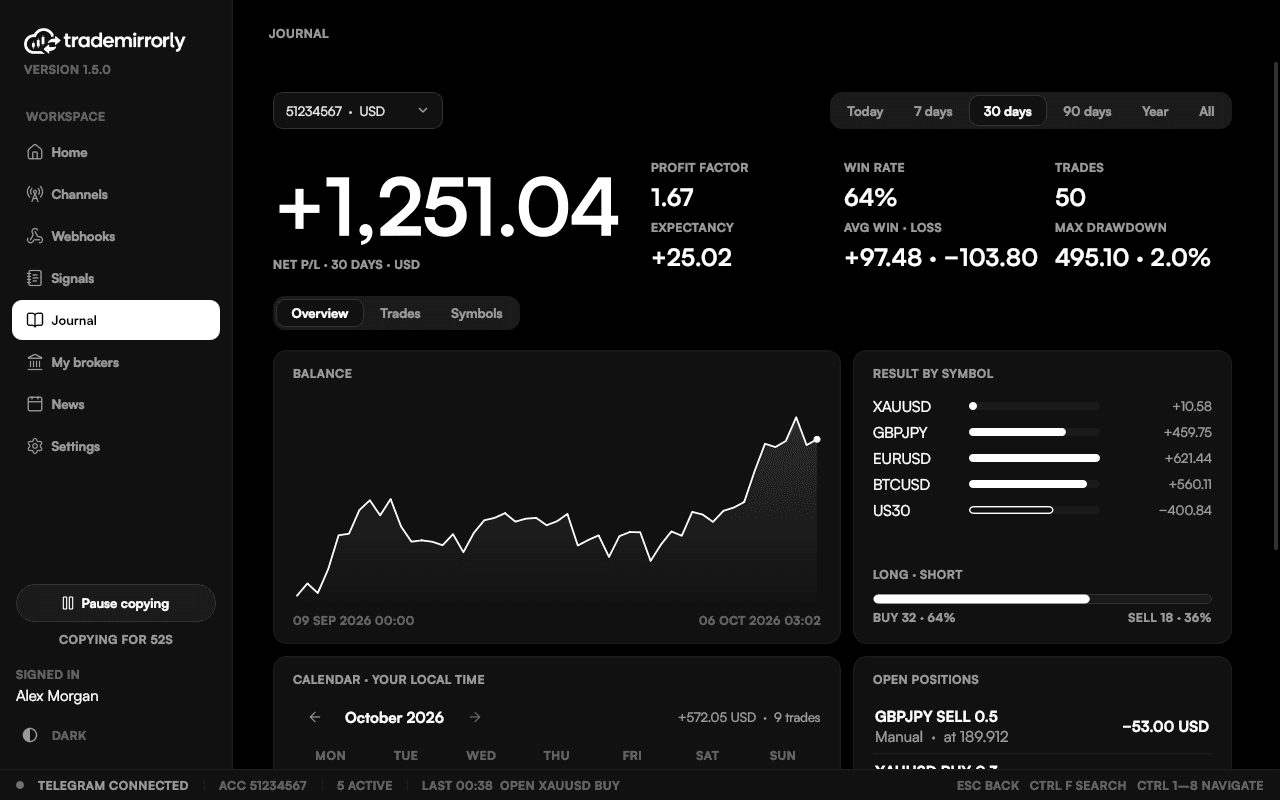
Sample data from the demo account of the app's screenshots. Not anyone's real results.
The numbers
See what your trading actually adds up to
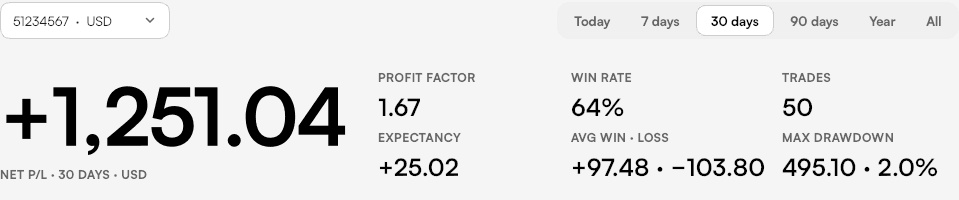
Net result, profit factor, win rate, expectancy, average win and loss, and the deepest drawdown.
For today, 7, 30 or 90 days, the year, or all of it.
Balance and calendar
Your balance, and every day
The balance line shows how the account moved, deposits and withdrawals included. The calendar gives each day's result in your local time.
Next to them: the result by symbol, long against short, and what is open now.
Trades
Each trade, with its source
The Trades tab lists every closed trade with where it came from: which channel, Manual, or another EA. Search it, and open a row for its parts, swap and commission.
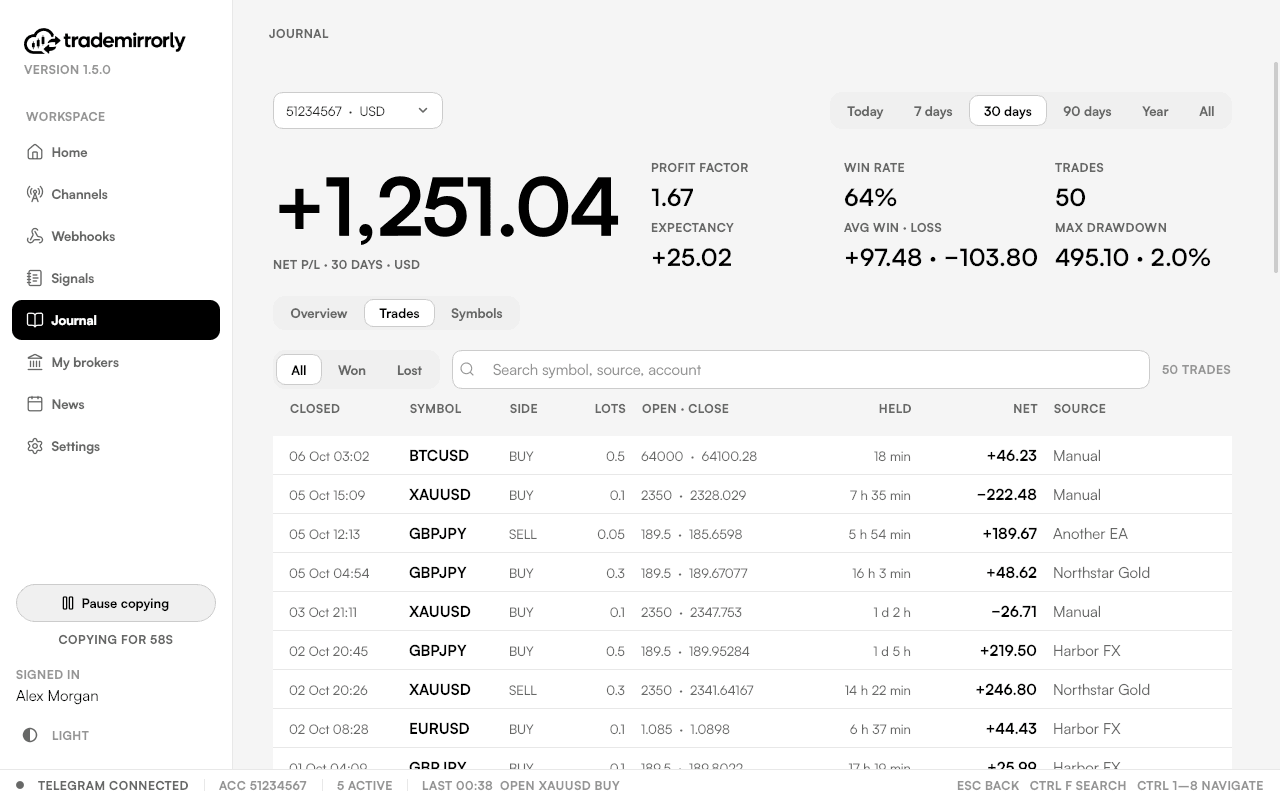
Sample data from the demo account of the app's screenshots. Not anyone's real results.
Also in the Journal
Every account, every symbol
Each symbol scored
The Symbols tab scores each symbol you trade.
All accounts at once
One account at a time, or All accounts when they share a currency. Money is never converted.
Nothing to export
Every trade comes straight from the account: the copier's, the ones you placed yourself and other EAs'.
Stays on your computer
The Journal is built from your account on your machine. Nothing of it is uploaded.
Good to know
The Journal: good to know
MetaTrader 4: set All History
MetaTrader 4 only reports what its Account History tab holds; set it to "All history" for the whole picture.
TradeLocker: estimated money per trade
TradeLocker's history has no profit figure, so its money per trade is estimated and marked so.
When it updates
MetaTrader accounts report through the EA. TradeLocker and Match-Trader accounts report while TradeMirrorly is open.
Signals is on every plan
The Signals page, which shows what happened to every signal, comes with every plan. The Journal is Pro.
What is the Journal?
The trade journal of your broker accounts (Pro): every trade, profit factor, win rate, drawdown, balance, calendar and each symbol. Its data stays on your computer.
Which trades does it include?
Every trade on the account: the ones TradeMirrorly copied, the ones you placed yourself and other EAs', with deposits and withdrawals. There's nothing to export or import.
What's the difference between Signals and the Journal?
Signals shows what became of every signal: opened, managed, blocked or not opened, and why, with its timeline. It's on every plan. The Journal is about your account's trades, whatever opened them, and what they add up to. It's Pro.
Do I need Pro?
Yes, the Journal comes with Pro Advantage. On Basic Starter the Journal page shows what it brings, with Upgrade to Pro.
Why are some MetaTrader 4 trades missing?
MetaTrader 4 only reports what its Account History tab holds. Right-click that tab and choose All History for the whole picture.
Does it work with TradeLocker and Match-Trader?
Yes, while TradeMirrorly is open. TradeLocker's history has no profit figure, so its money per trade is estimated and marked so.
Is my trade history uploaded?
No. The Journal is built from your account on your computer, and nothing of it is uploaded.
See what your trading adds up to.
Start the 3-day free trial and connect your account. The Journal comes with Pro Advantage.