TradingView alerts · Pro

Copy TradingView alerts to your trading account
Create a webhook in your account, paste its URL into a TradingView alert, and every alert is copied like a Telegram signal, with the same rules and the same Signals page.
Webhooks come with Pro Advantage, from $29 a month.Compare plans
- Windows and macOS
- Any broker, demo or live
- Your data stays on your computer
- Cancel anytime

How it works
Three steps, then it runs
Webhooks need the Pro Advantage plan.
- 1
Create a webhook in your account
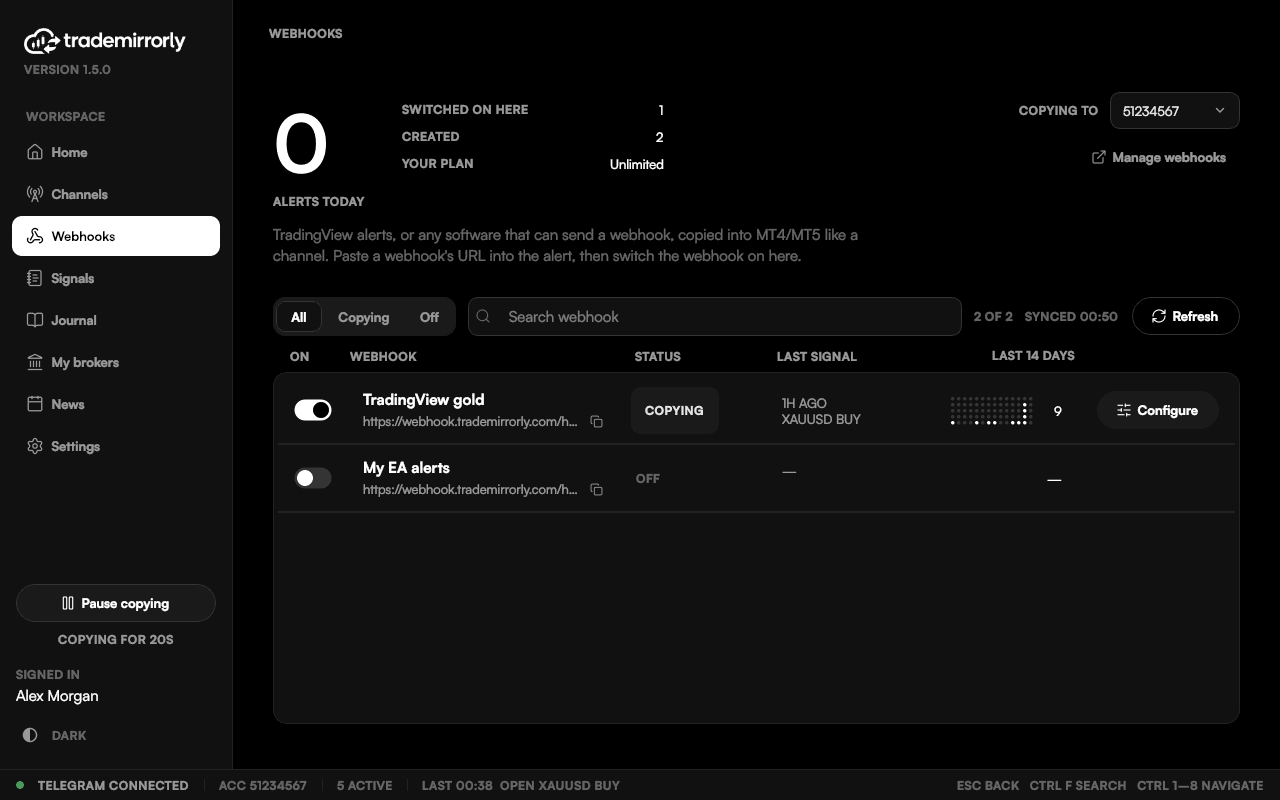
Manage webhooks on the app's Webhooks page opens your account, where you create one. It then shows in the app with its URL and a copy button.
- 2
Paste its URL into a TradingView alert
Write the alert's message like a signal: BUY or SELL, the symbol, SL and TP. It's read by the same reader as a Telegram message.
- 3
It's copied like a channel
Switch the webhook on for an account. Every alert is placed with that account's trade settings and shows on the Signals page.
Your rules
Same rules, same Signals page
A webhook is switched on, set up and tracked per account, exactly like a Telegram channel: your lot size, TP split, breakeven, trailing stop and trading hours.
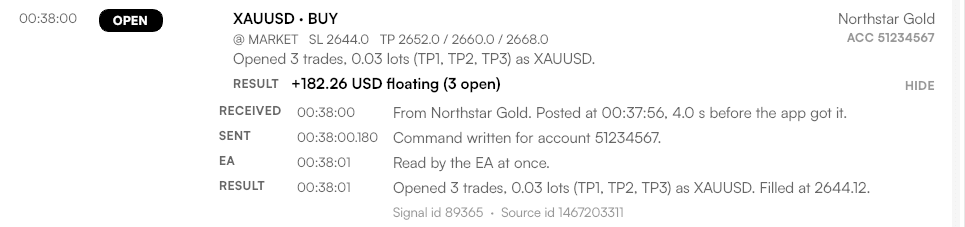
Each alert shows on the Signals page with what became of it: opened, at what price, or why not.
- Into MetaTrader 4, MetaTrader 5, TradeLocker or Match-Trader
- One alert into several accounts: switch the webhook on in each
- Not only TradingView: any software that can send an HTTP POST
Good to know
TradingView alerts: good to know
Late alerts are skipped
An alert that arrives more than 2 minutes late is skipped, never traded late. A laptop waking from sleep never trades an old alert.
TradeMirrorly must be running
Alerts are copied while the app runs on your computer or a Windows VPS. Alerts reach your account within a few seconds.
Pro Advantage only
Pro Advantage includes unlimited webhooks. Basic Starter doesn't include TradingView alerts.
Which plan do I need?
Pro Advantage. It includes unlimited webhooks. Basic Starter doesn't include TradingView alerts.
Can I copy TradingView alerts?
Yes, with Pro Advantage. Create a webhook in your account, paste its URL into the TradingView alert, and it's copied like a channel, with the same rules and the same Signals page.
What should the alert message say?
Write it like a signal: BUY or SELL, the symbol, and SL and TP if you use them. It's read by the same reader as a Telegram message, in the same 11 languages.
Which accounts can alerts go to?
MetaTrader 4, MetaTrader 5, TradeLocker or Match-Trader. Switch the webhook on in each account you want it copied into.
What if my computer was asleep when the alert fired?
An alert that arrives more than 2 minutes late is skipped, never traded late. The Signals page shows it as skipped.
Do I need anything on TradingView?
An alert with a webhook URL. Webhook alerts are a TradingView feature, so check that your TradingView plan includes them.
Your alerts, copied with your rules.
Start the 3-day free trial, create a webhook, and paste it into your first TradingView alert. Webhooks need Pro Advantage.