Telegram to Match-Trader copier

Copy Telegram signals to Match-Trader
Type your broker's Match-Trader address, sign in, and TradeMirrorly trades the account itself with your rules. Any broker that runs Match-Trader, demo or live.
- Windows and macOS
- Any broker, demo or live
- Your data stays on your computer
- Cancel anytime

Connect
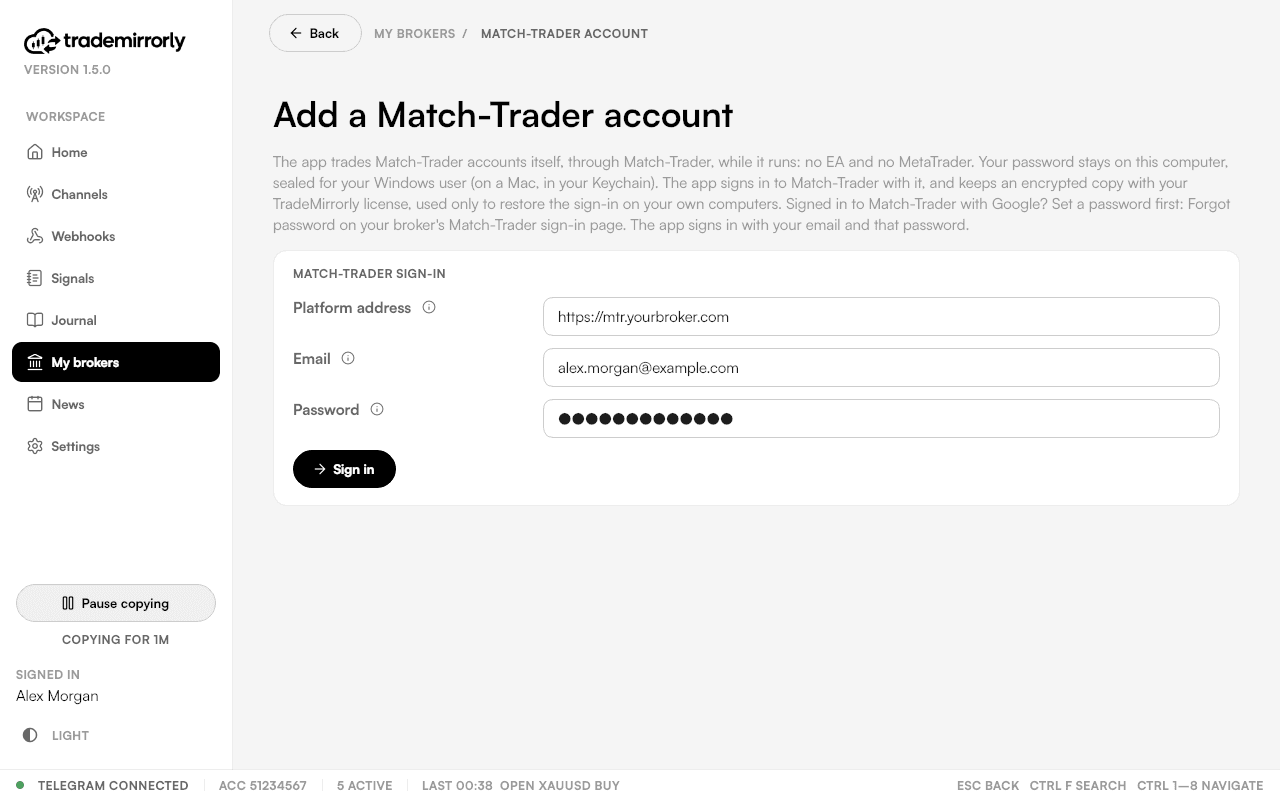
Your broker's own platform
Each broker runs Match-Trader at its own address: type the one you open in your browser (only the part up to the first /).
Then pick the accounts to add. Each one uses one of your plan's trading accounts, the same as a MetaTrader one.
Trade settings
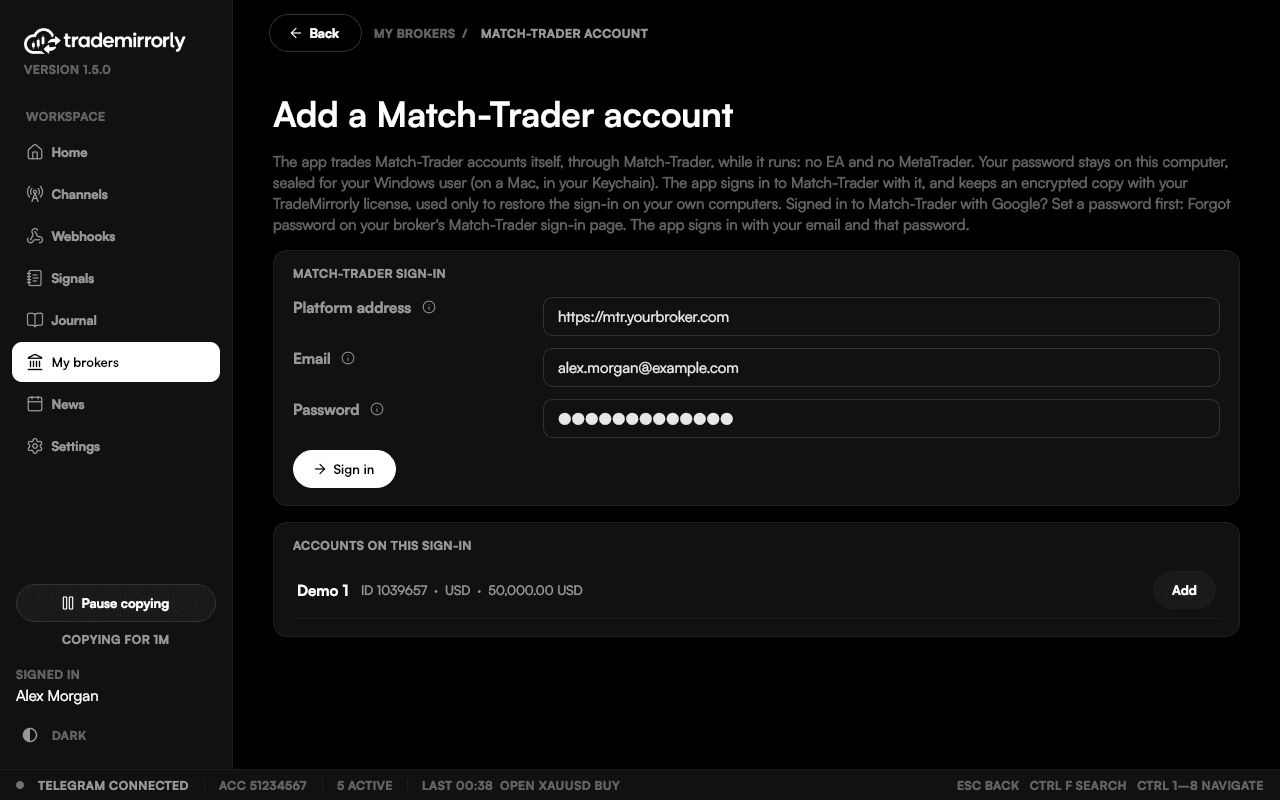
Same settings, same Journal
The same 64 trade settings as MetaTrader, per channel: size by lots, money or % of balance, split over the TPs, breakeven, auto breakeven, smart profit lock, trailing stop, trading hours and a daily loss limit.
The trade comment works here; phone notifications and slippage don't apply, and the app shows them greyed out with the reason. Your Match-Trader trades show in the Journal (Pro) with the rest.
Google sign-in
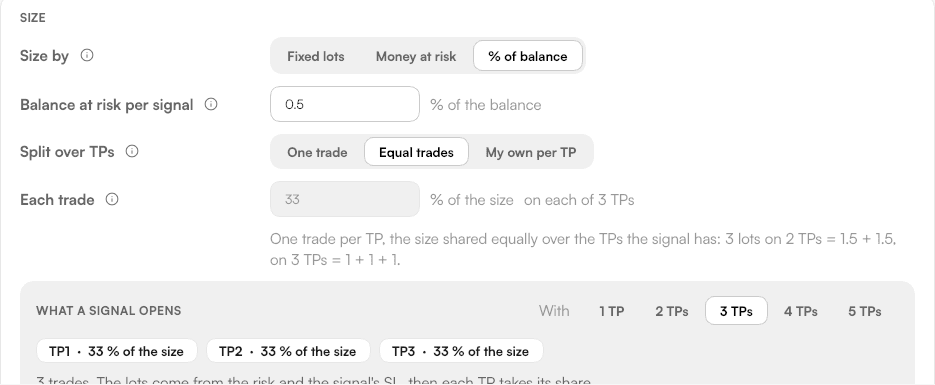
Signed in with Google?
Set a password first (Forgot password on your broker's Match-Trader page); the app signs in with your email and that password.
Every platform
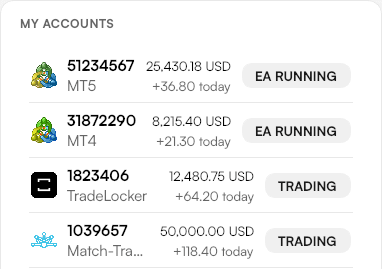
Next to your other accounts
Home lists your accounts on every platform, so a Match-Trader account sits beside your MetaTrader 4, MetaTrader 5 and TradeLocker ones.
Good to know
Match-Trader: good to know
TradeMirrorly must be running
It manages the trades (breakeven, smart lock, trailing). SL and TP sit at the broker either way.
Netting accounts: one signal per symbol
On a netting account, one signal per symbol at a time. A second signal on a symbol that is already open is refused, and the app says so.
Questions
Telegram to Match-Trader: common questions
Still have a question?
Email support@trademirrorly.comDoes it work with TradeLocker and Match-Trader?
Yes, since 1.5. You sign in to the account inside TradeMirrorly and the app trades it itself, with the same settings as MetaTrader. No EA. TradeMirrorly must be running for trades to be managed (breakeven, smart lock, trailing); your SL and TP sit at the broker either way.
Do I need MetaTrader for TradeLocker or Match-Trader?
No. MetaTrader is only for MT4 and MT5 accounts.
Is my Match-Trader password safe?
It's sealed on your computer with Windows' protection for your user, or the Mac Keychain. An encrypted copy is kept with your license, used only to sign a new computer of yours in. Besides Match-Trader itself, that encrypted copy on TradeMirrorly's license service is the only place it goes.
Which brokers?
Any broker that runs Match-Trader, demo or live.
I sign in to Match-Trader with Google. Can I still use it?
Set a password first (Forgot password on your broker's Match-Trader sign-in page); the app signs in with your email and that password.
Trade on MetaTrader too? Same app, same settings.
Your signals, on your Match-Trader account, by your rules.
Start the 3-day free trial, sign in to your Match-Trader account, and switch on your first channel.
TradeLocker and Match-Trader are trademarks of their respective owners; TradeMirrorly is not affiliated with or endorsed by them.