Telegram to TradeLocker copier

Copy Telegram signals to TradeLocker
Sign in to your TradeLocker account inside TradeMirrorly, switch a channel on, and every signal is placed on your account with your rules. No EA, no MetaTrader.
- Windows and macOS
- Any broker, demo or live
- Your data stays on your computer
- Cancel anytime

Connect
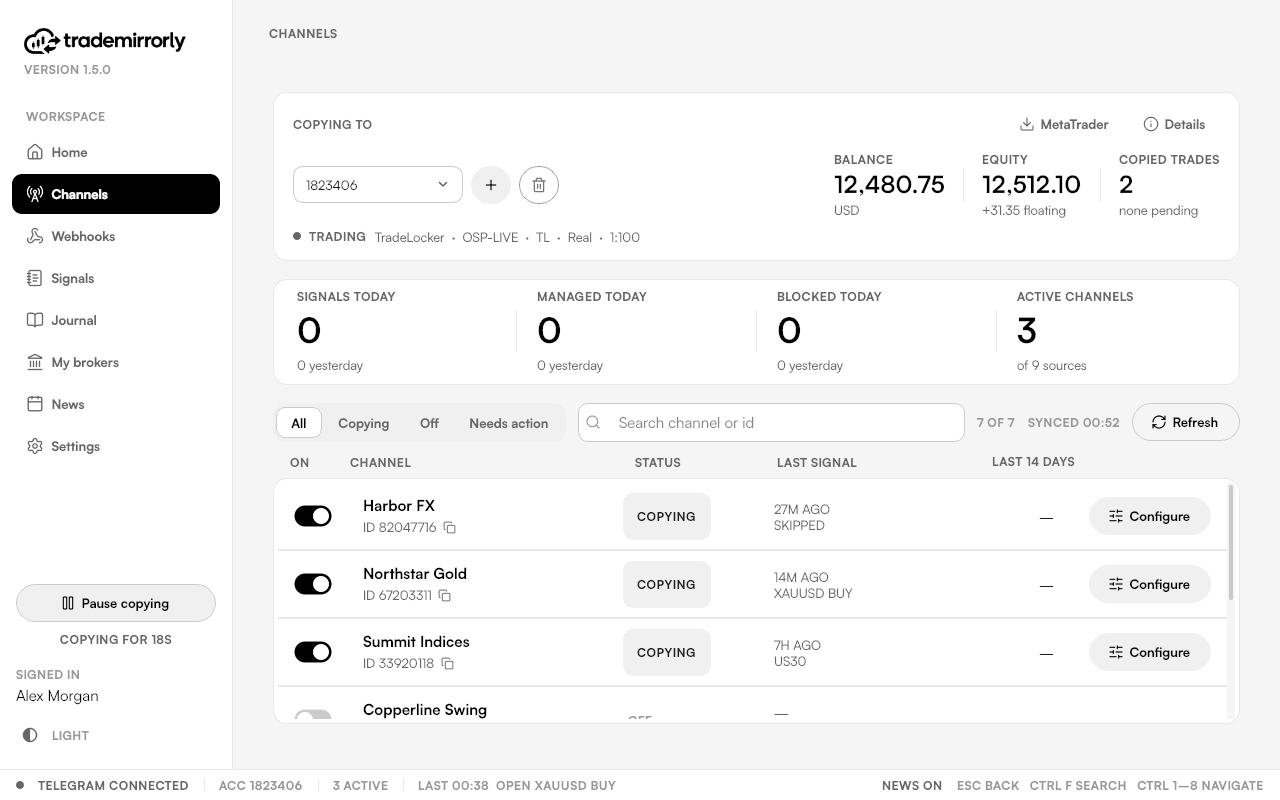
Connect in a minute
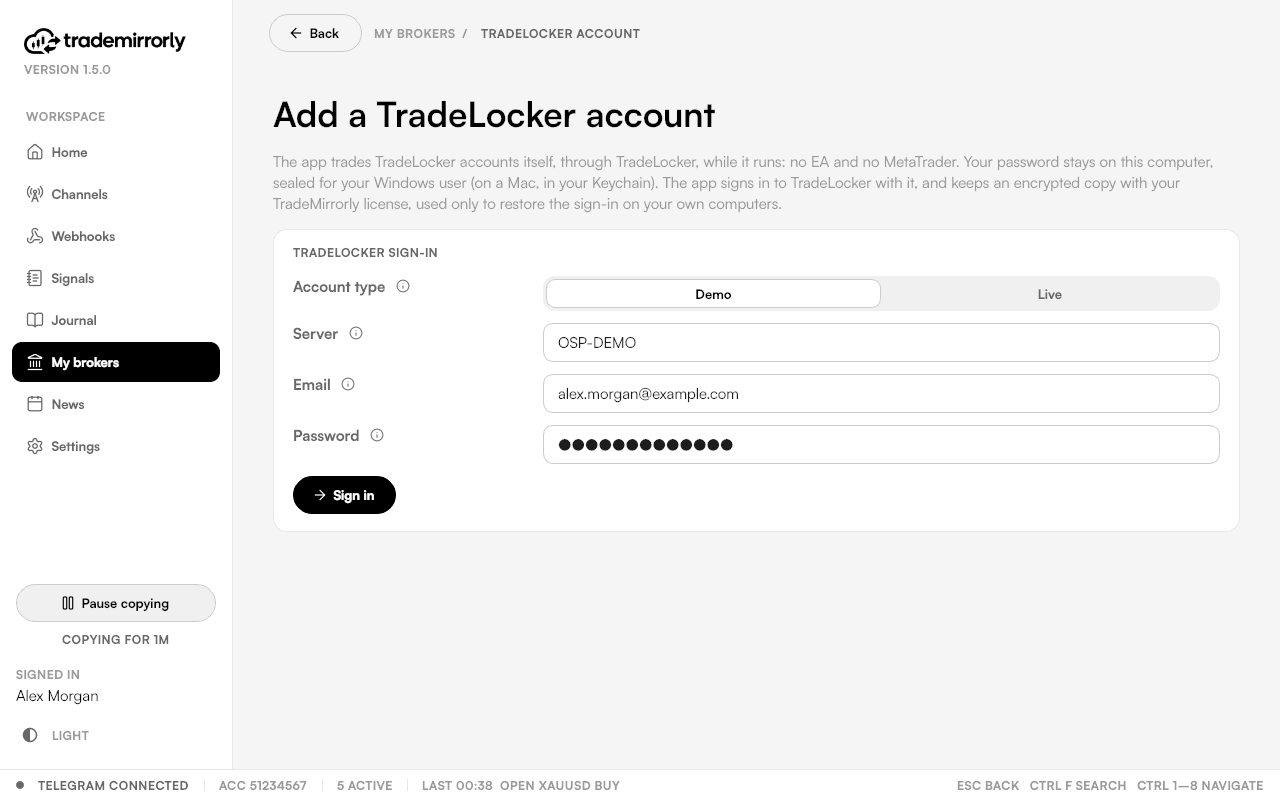
Choose Demo or Live, type your broker's TradeLocker server (like OSP-DEMO), your email and password, and pick the accounts to add.
Each account you add uses one of your plan's trading accounts, the same as a MetaTrader one.
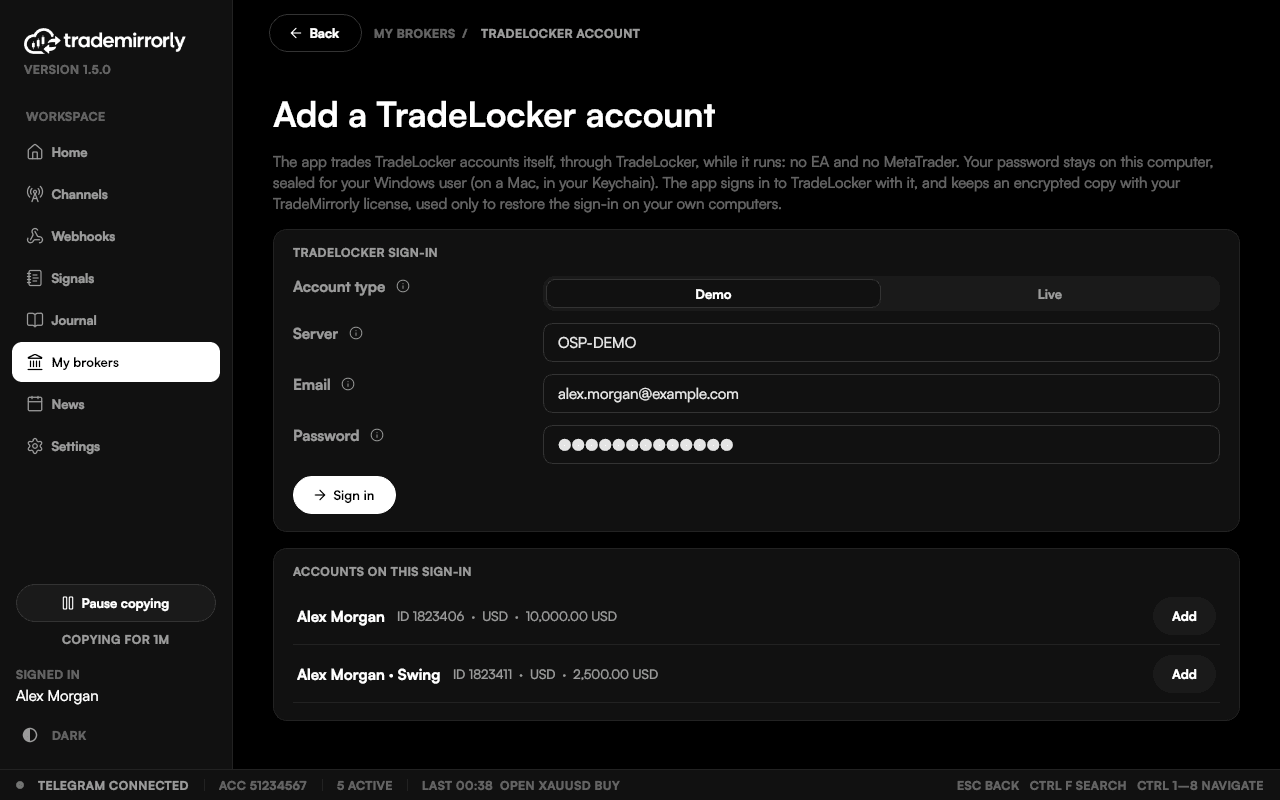
The accounts on that sign-in, each added with one click.
Trade settings
The same rules as MetaTrader
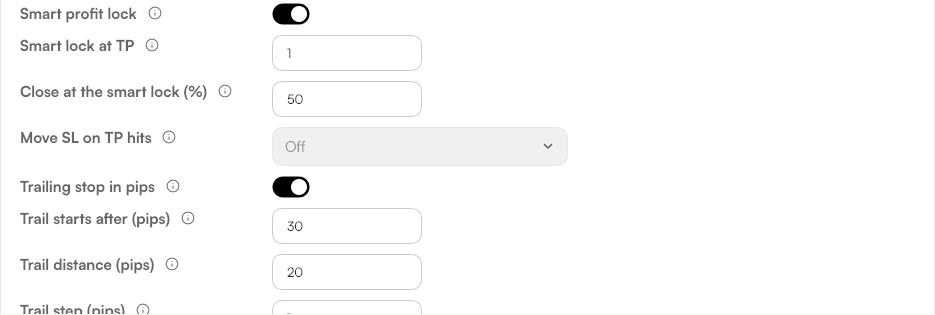
Every channel keeps its own trade settings, the same as on MetaTrader. Set them once and they apply to every signal from that channel.
- Size by lots, money or % of balance
- Split over the TPs
- Breakeven, partial close and auto breakeven
- Smart profit lock and trailing stop
- Trading hours, daily loss limit and max open trades
- Symbol mapping for your broker's names
How trades open
One trade per TP
On a hedging account each TP gets its own position, so "close TP2" or a TP hit touches exactly that one.
On a netting account one position per signal, with the TPs closed by quantity; a second signal on a symbol that is already open is refused and the app says so.
My brokers
Every account on one page
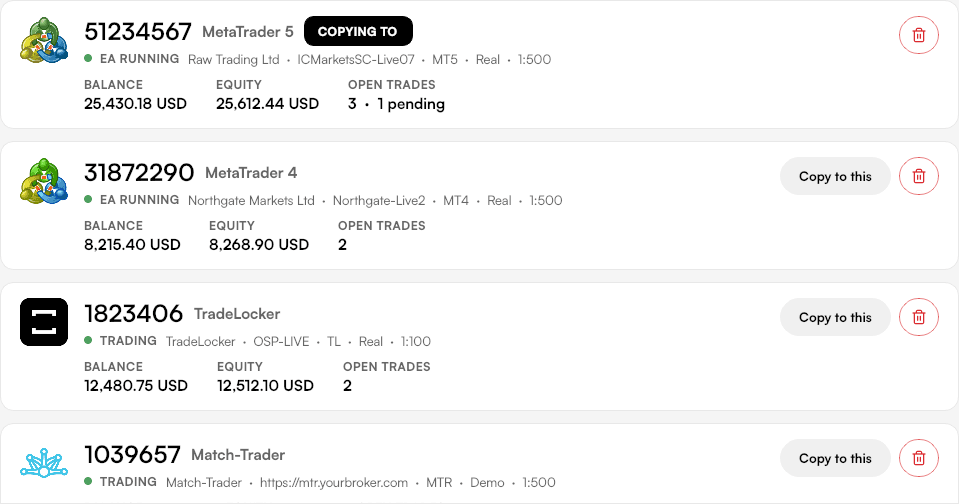
Your MetaTrader 4, MetaTrader 5, TradeLocker and Match-Trader accounts side by side, with balance, equity and open trades. Pick the account each channel copies into.
Your sign-in
Your sign-in, safe
Your password is sealed on your computer, with Windows' protection for your user (on a Mac, in your Keychain). An encrypted copy is kept with your license only so a new computer of yours can sign in by itself.
Security and privacyGood to know
TradeLocker: good to know
TradeMirrorly must be running
It manages the trades (breakeven, smart lock, trailing). SL and TP sit at the broker either way.
Three settings don't apply
TradeLocker has no equivalent for three MetaTrader settings (trade comment, phone notifications, slippage); the app shows them greyed out with the reason.
Journal figures are estimated
In the Journal, TradeLocker's money per trade is estimated (its history has no profit figure) and marked so.
Questions
Telegram to TradeLocker: common questions
Still have a question?
Email support@trademirrorly.comDoes it work with TradeLocker and Match-Trader?
Yes, since 1.5. You sign in to the account inside TradeMirrorly and the app trades it itself, with the same settings as MetaTrader. No EA. TradeMirrorly must be running for trades to be managed (breakeven, smart lock, trailing); your SL and TP sit at the broker either way.
Do I need MetaTrader for TradeLocker or Match-Trader?
No. MetaTrader is only for MT4 and MT5 accounts.
Is my TradeLocker password safe?
It's sealed on your computer with Windows' protection for your user, or the Mac Keychain. An encrypted copy is kept with your license, used only to sign a new computer of yours in. Besides TradeLocker itself, that encrypted copy on TradeMirrorly's license service is the only place it goes.
Which brokers?
Any broker that offers TradeLocker, demo or live.
Trade on MetaTrader too? Same app, same settings.
Your signals, on your TradeLocker account, by your rules.
Start the 3-day free trial, sign in to your TradeLocker account, and switch on your first channel.
TradeLocker and Match-Trader are trademarks of their respective owners; TradeMirrorly is not affiliated with or endorsed by them.