Copy channels, groups, topics and bots
Switch on the Telegram chats you want copied, per trading account, and read each channel's status, last signal and 14-day activity.
Written for TradeMirrorly 1.5.0 · Updated
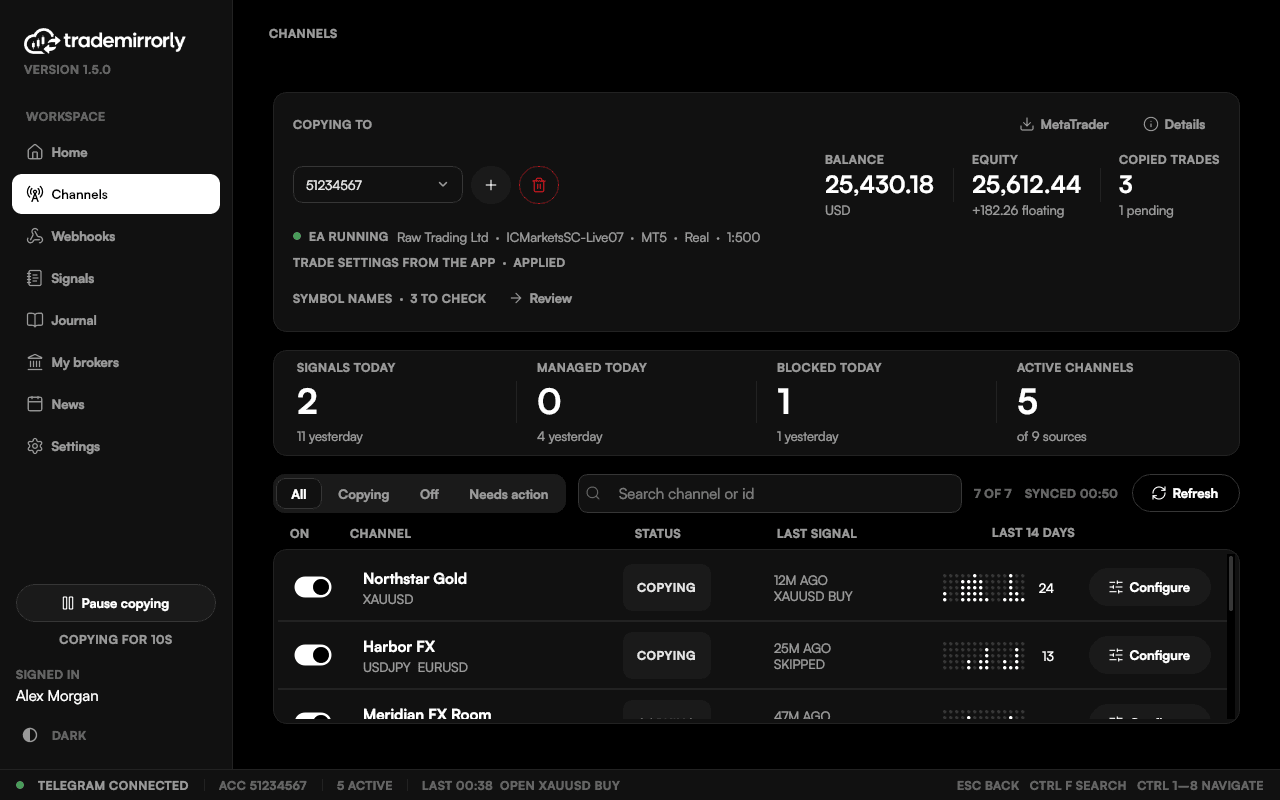
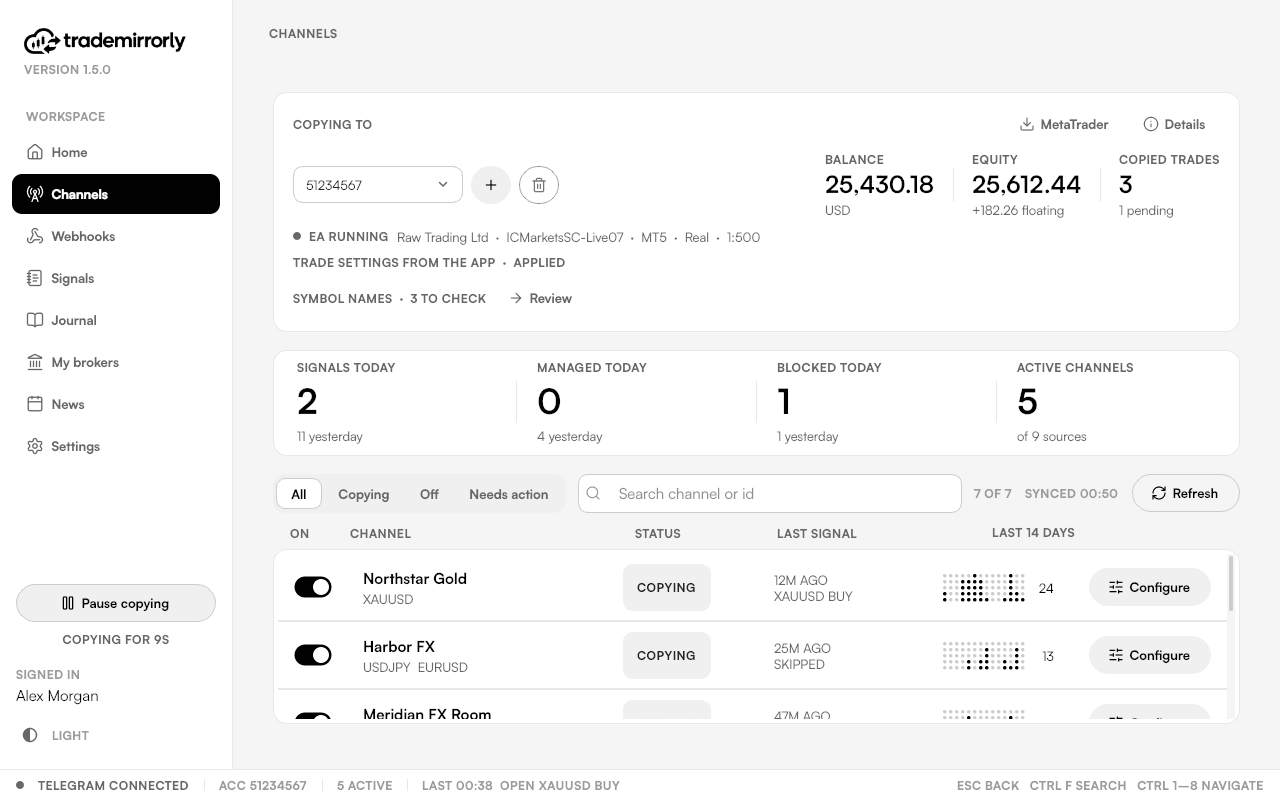
Channels is the working screen. It opens with the account you copy into, then one row per chat, with its status, its last signal and a 14-day activity trail.

Switch a channel on
- 1Pick the account at the top of Channels.
- 2Find the chat: search by its name or channel id.
- 3Switch it on. Nothing is copied until you do, and a channel is switched on per account.
Topics and bots
A group with topics is listed once per topic too, so you can copy one thread of a big group on its own. Chats with signal bots are listed under the bot's name.
When a channel needs you
A channel whose last 20 signals all went nowhere shows NONE COPIED, with the reason. Filter the list by copying, off or needs action to find them. Every channel id has a copy button.
Try it on a demo account first
Monthly and yearly plans start with a 3-day free trial. Setup takes about 3 minutes.
More in this topic
Activate your license key
Paste your TM-XXXX-XXXX-XXXX key once per computer: where to find it, and what to do when every computer seat is in use.
Sign in to Telegram
Scan a QR code with the Telegram app on your phone, or use your phone number. Two-step passwords work, and the session stays on your computer.
Install the EA in MetaTrader 4 or 5
The app finds every MetaTrader 4 and 5 on your computer, installs the TradeMirrorly EA with one click, and opens the terminal with it running.
Add a TradeLocker account
Add a TradeLocker account, demo or live, with your email, password and server. The app trades it itself, with no EA and no MetaTrader.