Breakeven, profit lock and trailing
Move the SL to entry automatically, lock profit as TPs are hit, and trail the price: each one a switch you set per channel, off until you turn it on.
Written for TradeMirrorly 1.5.0 · Updated
Auto breakeven
Moves the stop loss to entry, plus any pips you add, after a TP is hit or after a number of pips, a risk:reward ratio or an amount of money in profit.
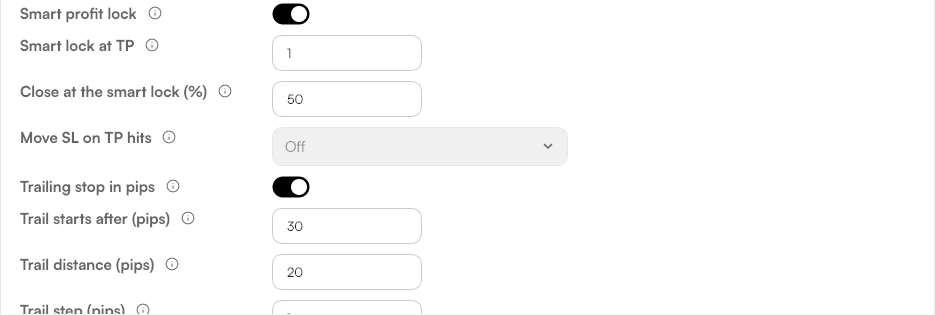
Smart profit lock
At a TP you choose, it closes part of the trade and moves the rest to entry. Or lock profit as TPs are hit: breakeven first, then each previous TP.
Trailing stop
Follows the price by your start, distance and step.
Pending orders
Unfilled pending orders can expire after the time you set.
Each step runs once, and that's remembered across restarts of the app and of MetaTrader.
Try it on a demo account first
Monthly and yearly plans start with a 3-day free trial. Setup takes about 3 minutes.
More in this topic
Trade size and TP split
Set how big each signal is, in lots, money at risk or % of the balance, and how it splits over the TPs, with a preview of what a signal opens.
Entry, SL and TP
Market or pending entry, the signal's SL and TPs or your own, risk:reward targets, shifts and reverse: how each setting changes a trade.
Trading hours, limits and the daily loss limit
Copy only inside your hours, cap open trades overall and per symbol, close opposite trades, and stop new trades after the day's loss you set.
Settings per channel
Every channel can trade by its own rules. How Essentials, All settings, saving and resets work, and when the EA starts using them.