Signals: what happened to every signal
Every signal, newest first, with what became of it: opened, at what price, or why not and what to fix. Click any row for its timeline.
Written for TradeMirrorly 1.5.0 · Updated

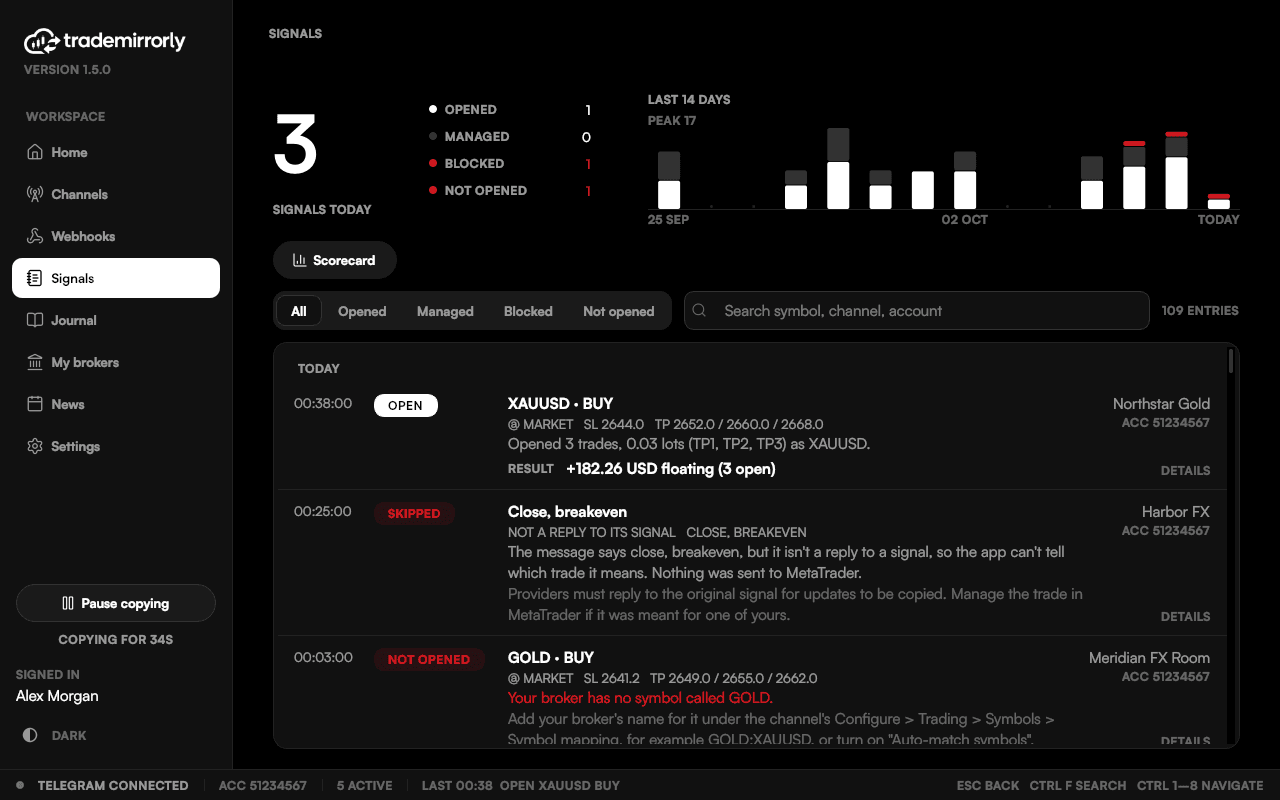
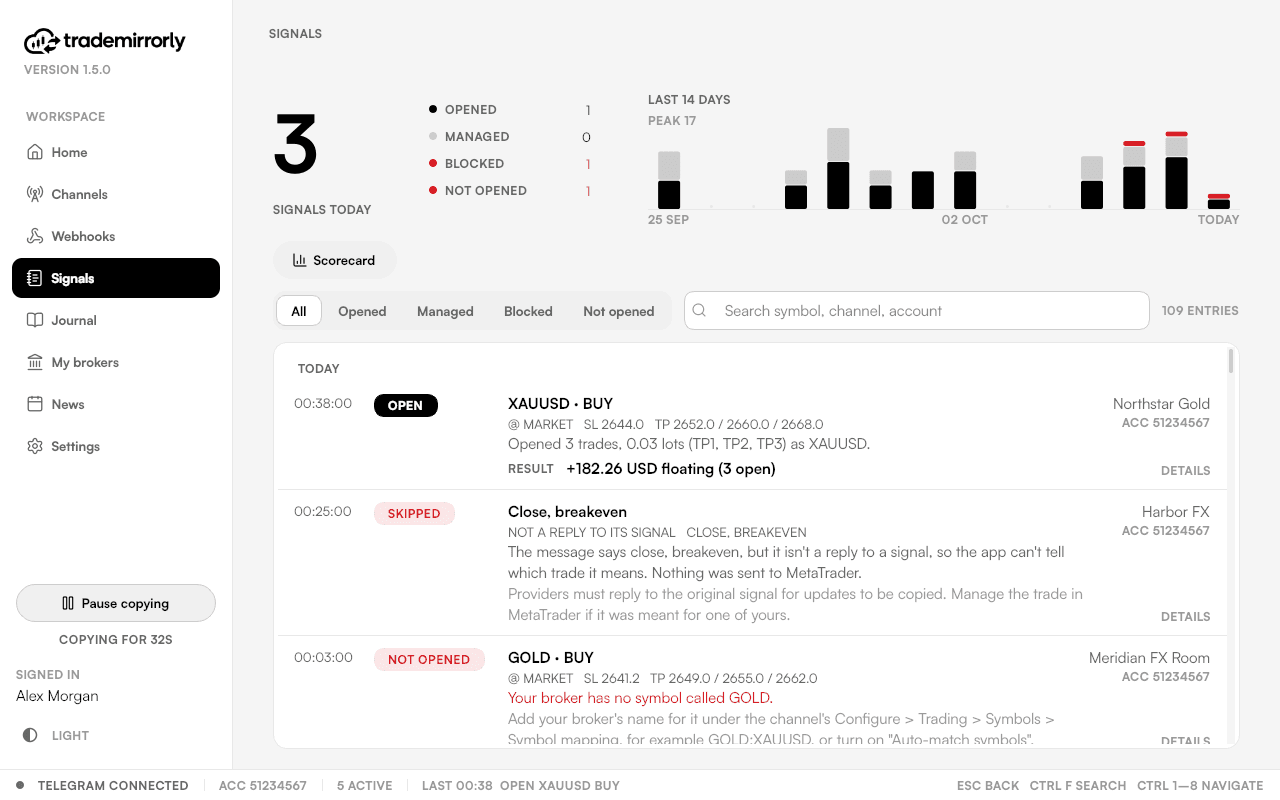
Signals lists every signal, newest first and grouped by day, with what the EA did with it, for example:
Opened 3 trades, 0.3 lots (TP1, TP2, TP3) as XAUUSD
Your broker has no symbol called GOLD. Add your broker's name for it
under the channel's Configure > Trading > Symbols > Symbol mapping
Nothing is missed in silence
A refused signal is marked NOT OPENED, counted, and raises a desktop alert. What the app itself let go is listed too, in the same words: an update that wasn't a reply, a forwarded message, an ignore word, a signal with no symbol or side it could read.
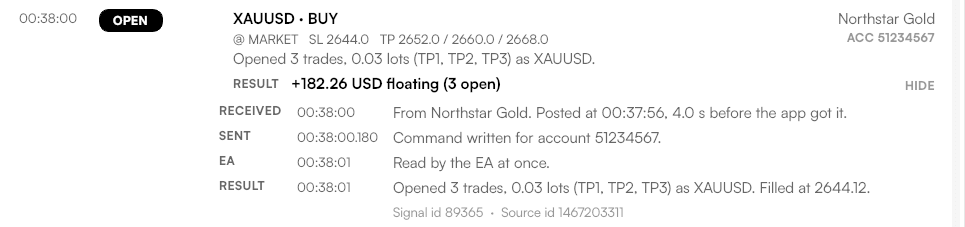
A signal's timeline
Click a row to see when the message was posted and received, when the command was written (to the millisecond), when the EA read it, and the price it filled at.
Finding a signal
- Filter by opened, not opened, managed or blocked; search by symbol, channel or account.
- Every opened signal shows what it made, closed and floating, in the account's currency, as the EA reports it.
- Copying one channel to several accounts? All accounts shows every copy; This account shows the one picked on Channels.
- A 14-day chart of opened, managed and blocked signals follows your filter.
Try it on a demo account first
Monthly and yearly plans start with a 3-day free trial. Setup takes about 3 minutes.
More in this topic
The channel scorecard
See which channels actually send signals: when they post, what they trade, their buy and sell split, blocked signals and which have gone quiet.
The trade Journal (Pro)
A journal of your whole broker account with nothing to export: every trade, net result, profit factor, drawdown, balance and a calendar.
Desktop alerts and the tray
A notification for every copied, managed or blocked signal, and a tray icon that keeps copying after you close the window.