Version 1.7 · November 2026

What's new in TradeMirrorly 1.7

TradeMirrorly 1.7 makes the Telegram signal copier calmer and clearer: Home tells you first whether copying is working, the Cockpit shows where each channel copies to, and opening the app after a break never copies old signals. Below, the new features of every version since 1.5.

Already using TradeMirrorly? It finds each update within 6 hours and installs it at its daily restart. New here? The download is on your account's Downloads page.

New in 1.7

What changed in TradeMirrorly 1.7

Each card shows the page as it looks now, with the demo account's sample data.

  • Nothing old is copied when you open the app again

    What a channel posted while the app was closed is ignored.

    • When you open the app again, nothing a channel posted while it was closed is taken: no new signals, and no closes, breakevens or SL changes
    • History doesn't list those messages either
    • A trade the app opened before you closed it is yours to manage until the app runs again
    • The app's own short restarts, the daily one and an update, still miss nothing
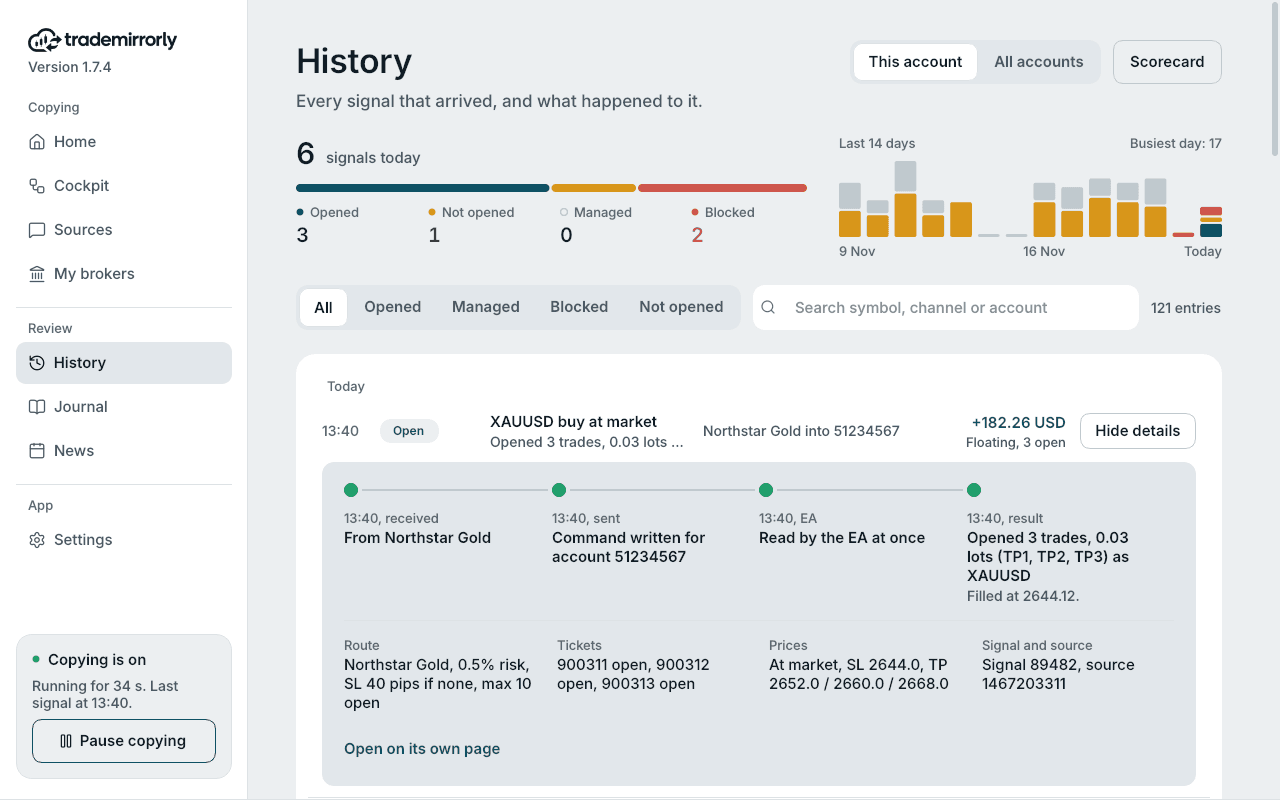
    History: every signal on one line, with what became of it
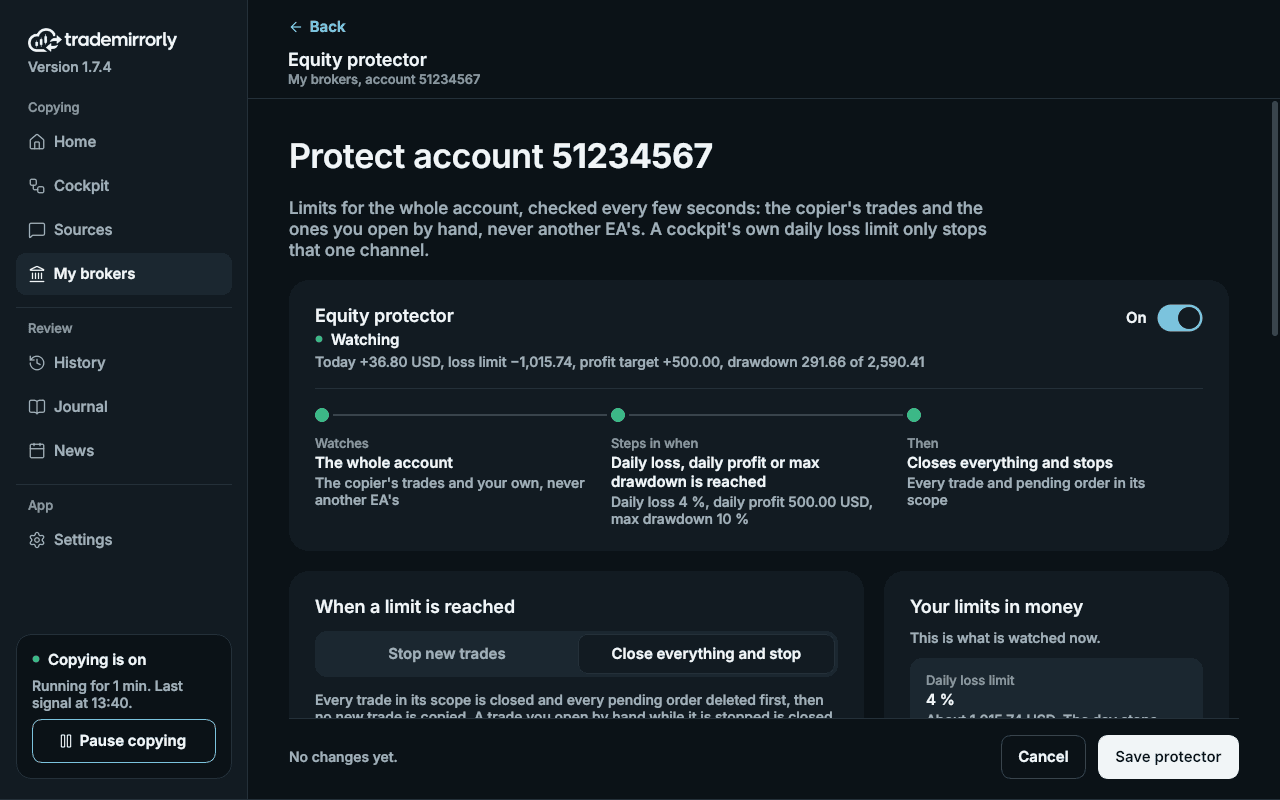
  • The equity protector counts trades already open

    Turned on past a limit, it stops the account at once.

    • Trades already open when you turn the protector on, or re-arm it, count with all they are down
    • So an account that is already past its daily loss limit or max drawdown stops the moment you turn it on
    • Only what closed before you turned it on stays out of that day's result
    The equity protector watching an account: today's result against the daily loss limit, the profit target and the max drawdown
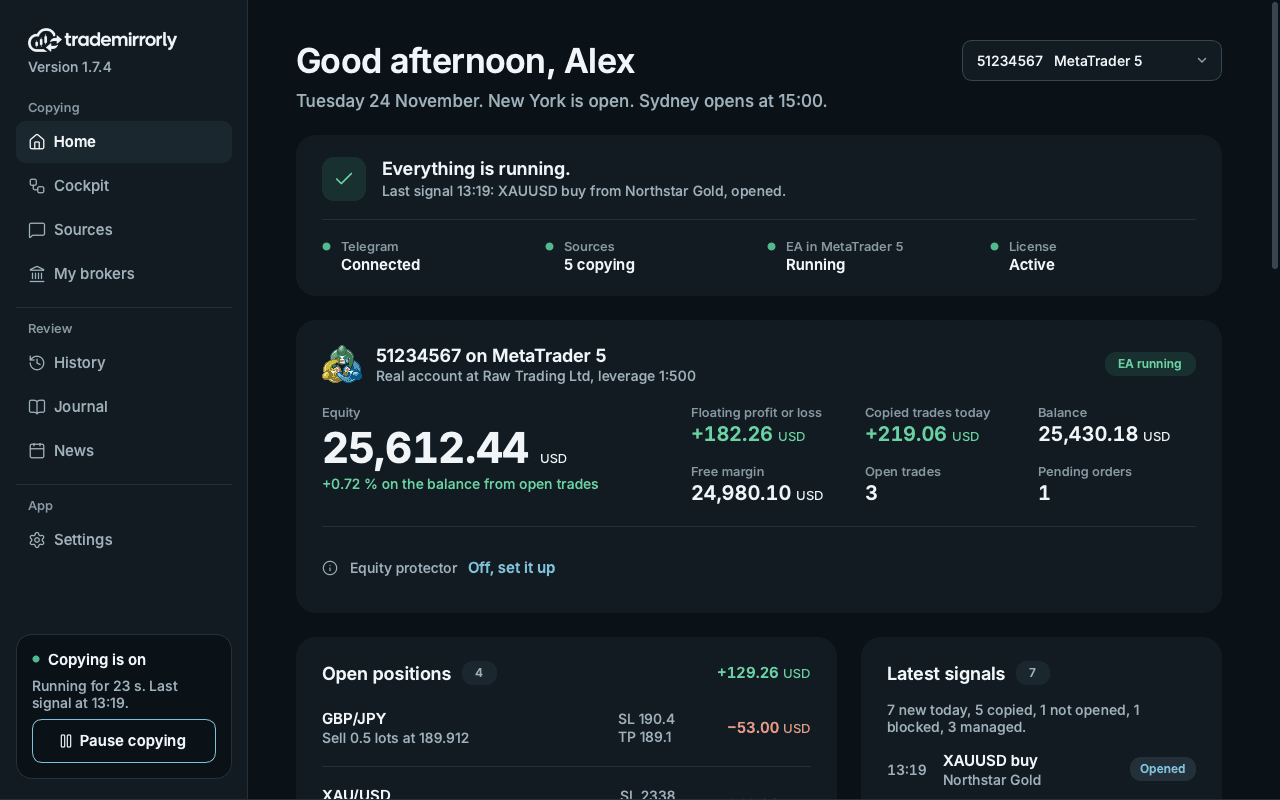
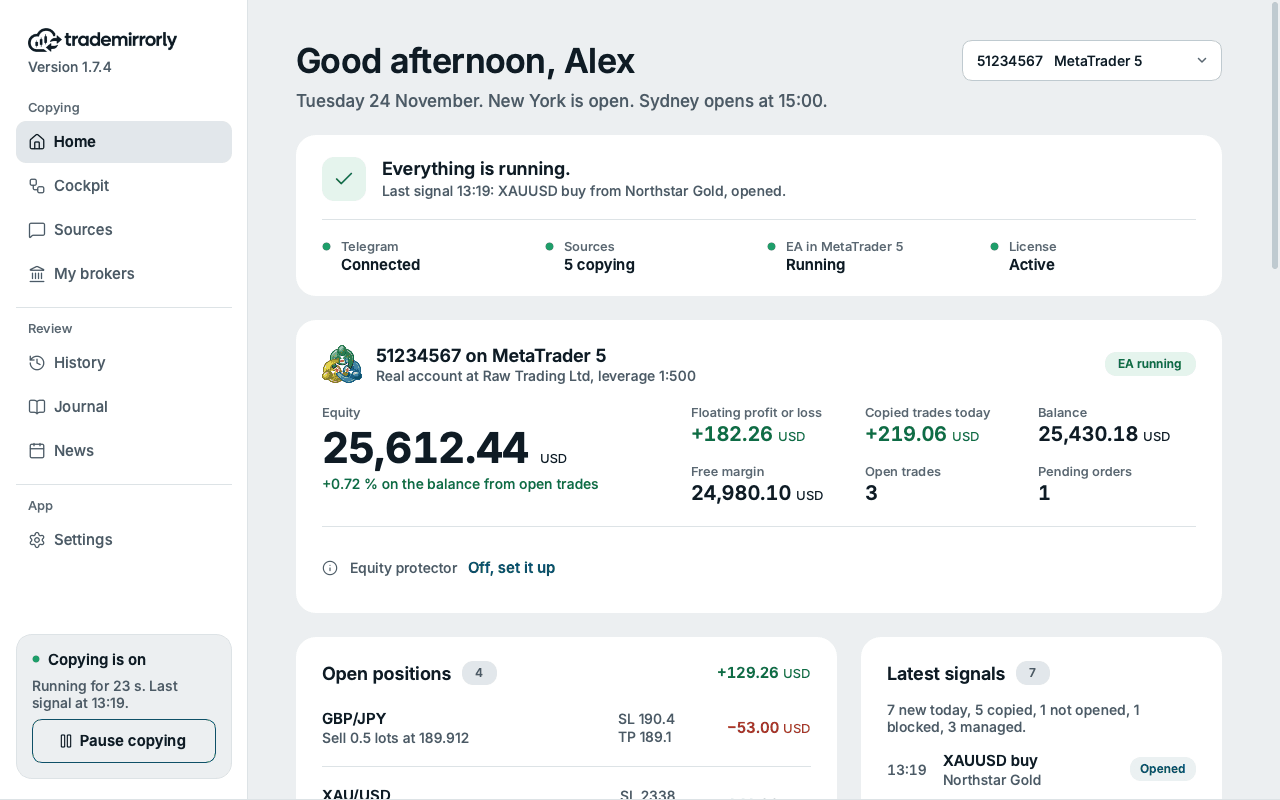
  • A new Home, in the order you look

    Is copying working, then your account, then what is open.

    • One sentence says whether copying works, with the button that fixes it, and the last signal and what became of it
    • Telegram, your sources, the EA or platform, and the license, each with a dot and its state
    • The account now: equity as the big figure, floating profit or loss, today's copied result with the open trades, balance, free margin, open trades and pending orders
    • Your open positions, with their live profit or loss, SL and TP, beside the latest signals and today's counts
    • How copying has paid, beside what is coming: the next high-impact news with a countdown, and the market sessions
    • Each account shows its platform's logo; with several accounts, pick the one Home shows
    TradeMirrorly Home: everything running, the MetaTrader 5 account's equity and today's copied result, open positions and the latest signalsTradeMirrorly Home: everything running, the MetaTrader 5 account's equity and today's copied result, open positions and the latest signals
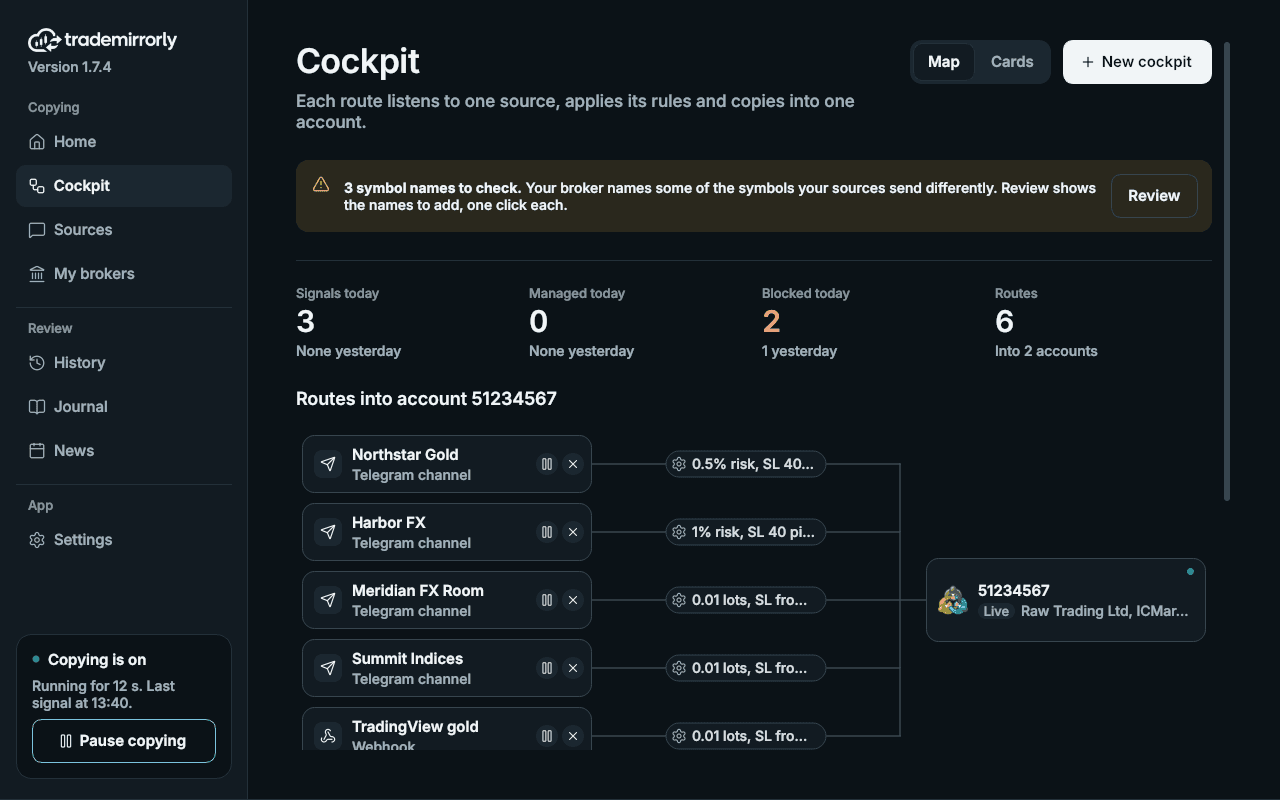
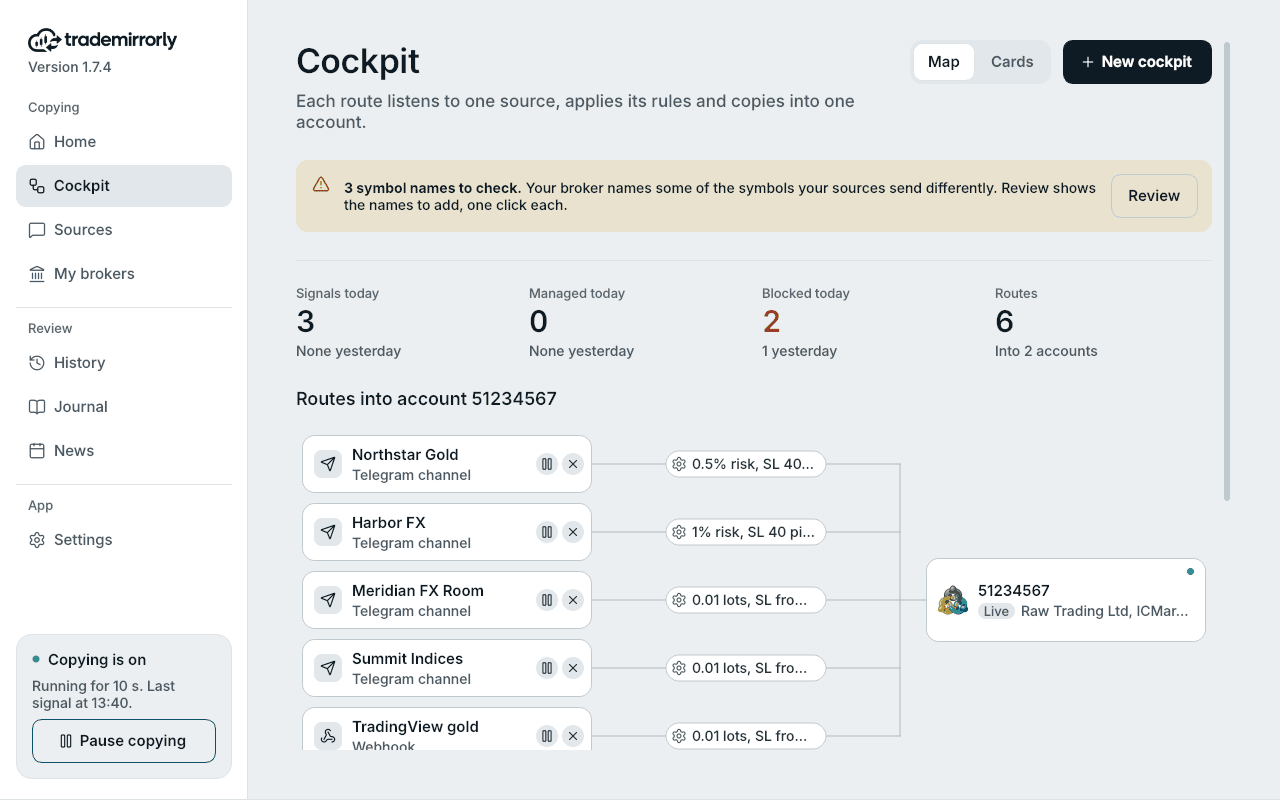
  • The Cockpit: where each channel copies to

    What each route listens to, applies and copies into.

    • Every route at a glance, as a map from each source to its account, or as cards
    • Each card: Listens to, Applies and Copies into, with one Configuration button, pause and remove
    • Today's signals, managed, blocked, and your routes, as four figures at the top
    • Notes for what needs you: the EA, trade settings and symbol names
    The Cockpit: six routes into two accounts, each with its source, its rules and the account it copies intoThe Cockpit: six routes into two accounts, each with its source, its rules and the account it copies into
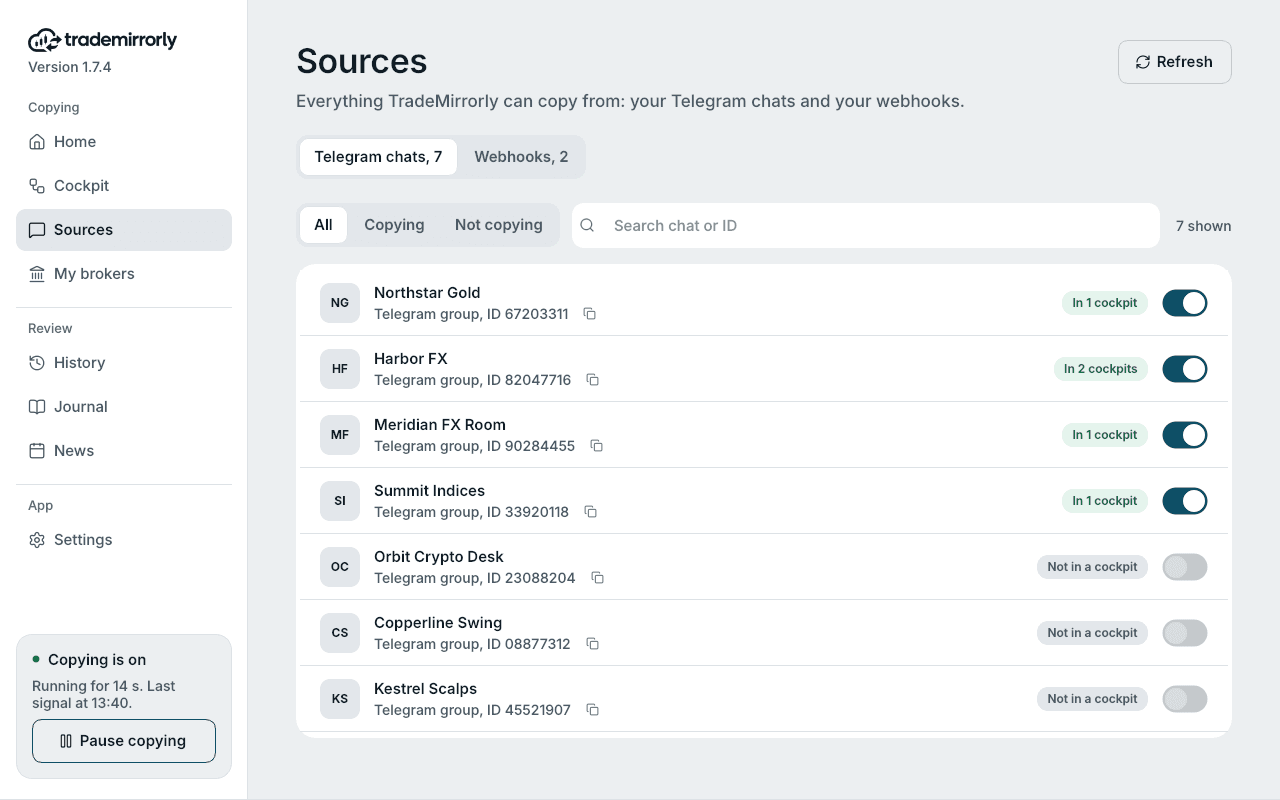
  • Sources: Telegram chats and webhooks on one page

    Everything TradeMirrorly can copy from.

    • Your Telegram chats and your webhooks, such as TradingView alerts, are the two tabs of one Sources page
    • What copies is listed first
    • Filter by Copying or Not copying, and search by name or ID
    • Each chat shows how many cockpits it is in, beside its switch
    Sources: every Telegram chat with its id, a switch, and how many cockpits it is in
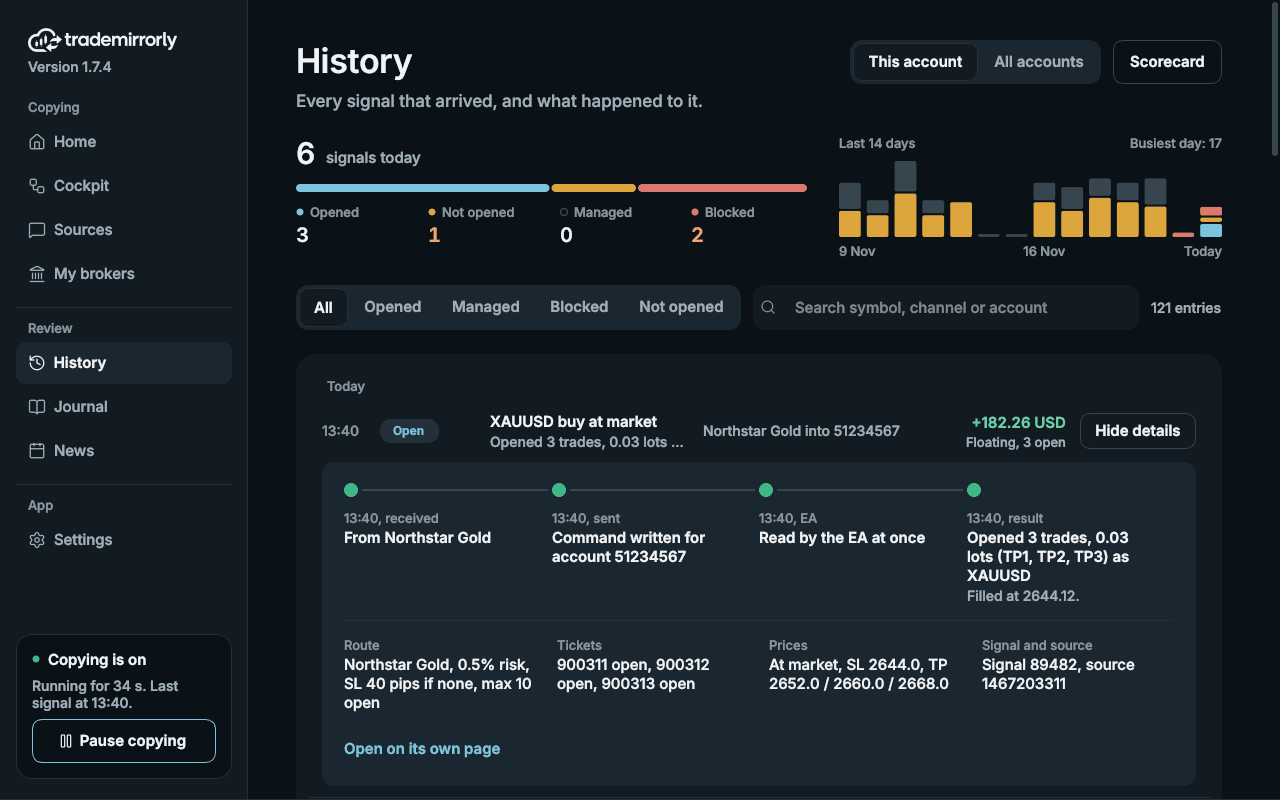
  • History: what happened to every signal

    The details, without leaving the list.

    • Details open under a signal's row: its timeline, then the route, tickets, prices and IDs, with a link to its own page
    • Why today's signals weren't opened, said once above the list
    • Today's numbers, and the last 14 days as day bars
    • The Scorecard with its figures and insights side by side
    History: every signal on one line, with what became of itHistory: every signal on one line, with what became of it
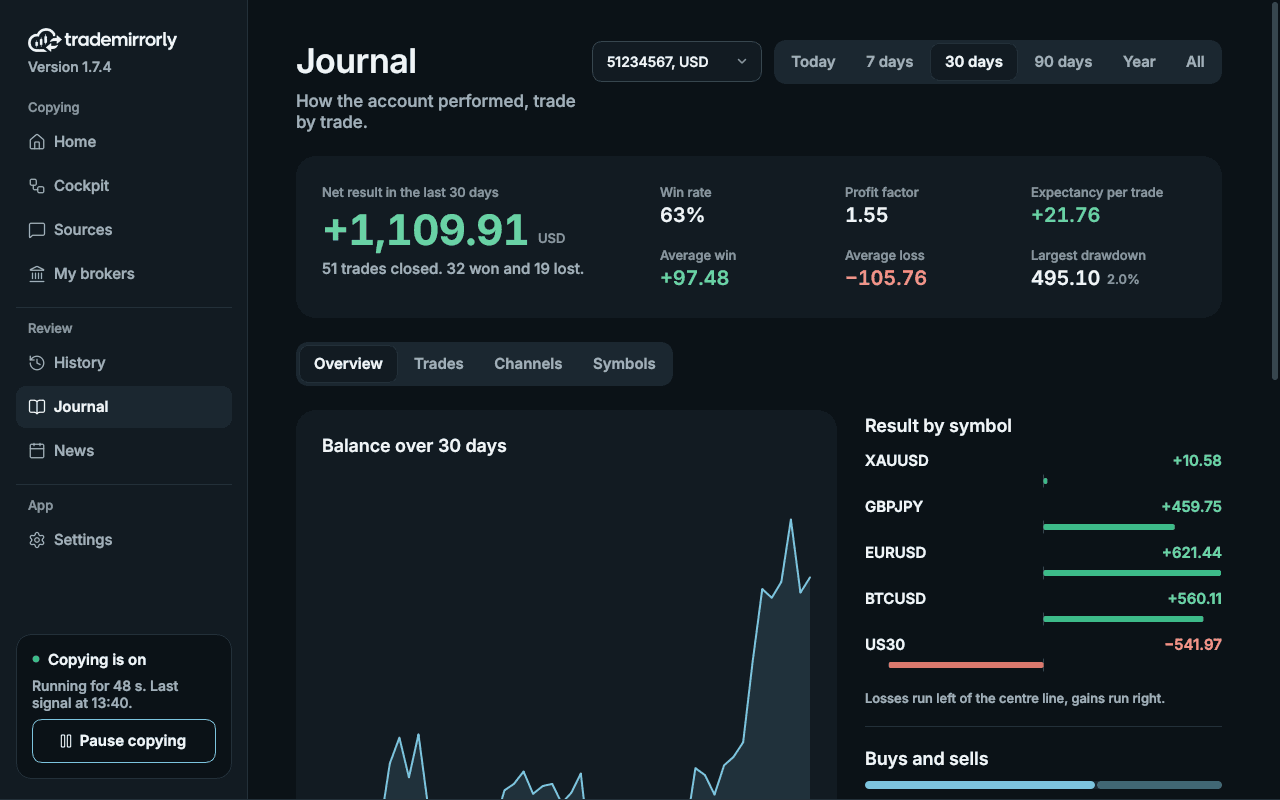
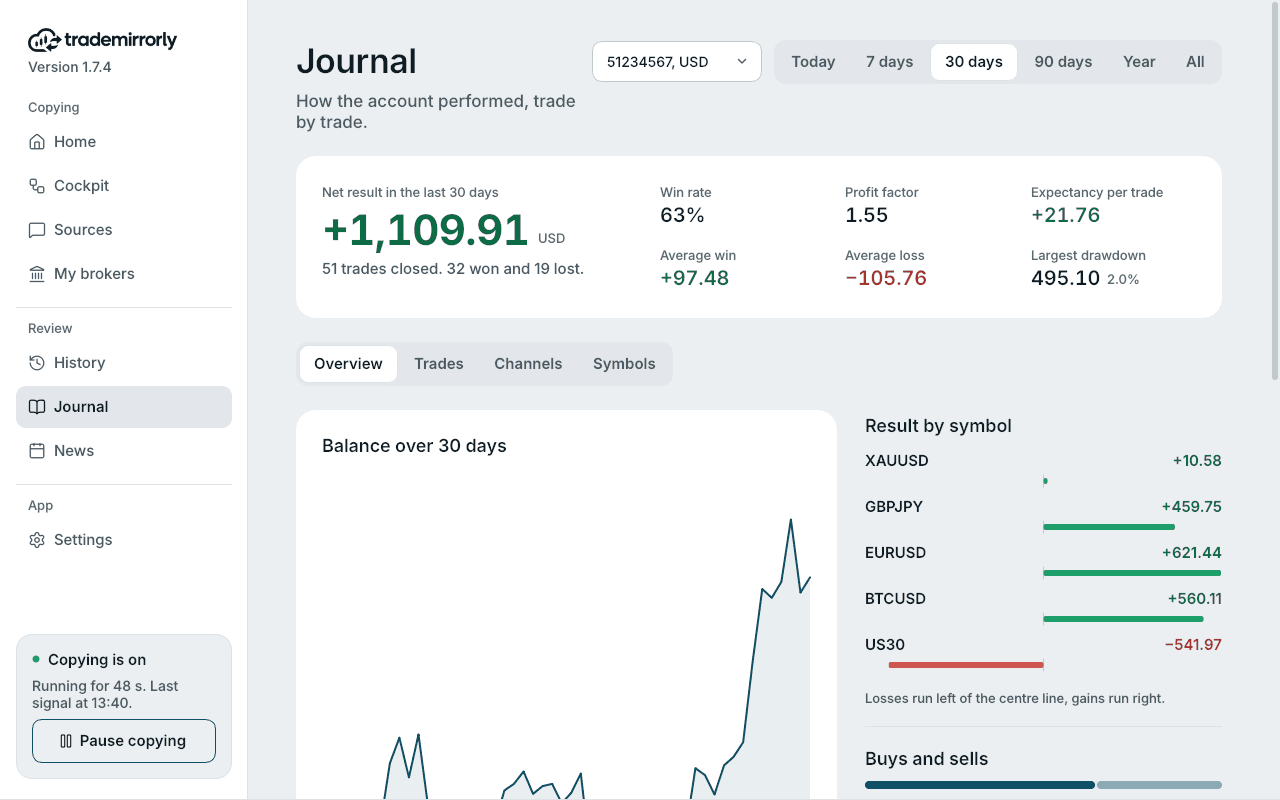
  • The trade journal, redesigned (Pro)

    Your account's results, trade by trade.

    • The account and the period at the top
    • A result card: the net result, a sentence about it and six figures
    • The balance line beside the result by symbol, buys and sells, and what is open now
    • The month's calendar as tinted day tiles; Trades and Symbols as tables
    • A Channels tab scores each Telegram channel's trades in the period, the best first
    The trade Journal: net result, profit factor, win rate, drawdown, balance and symbolsThe trade Journal: net result, profit factor, win rate, drawdown, balance and symbols
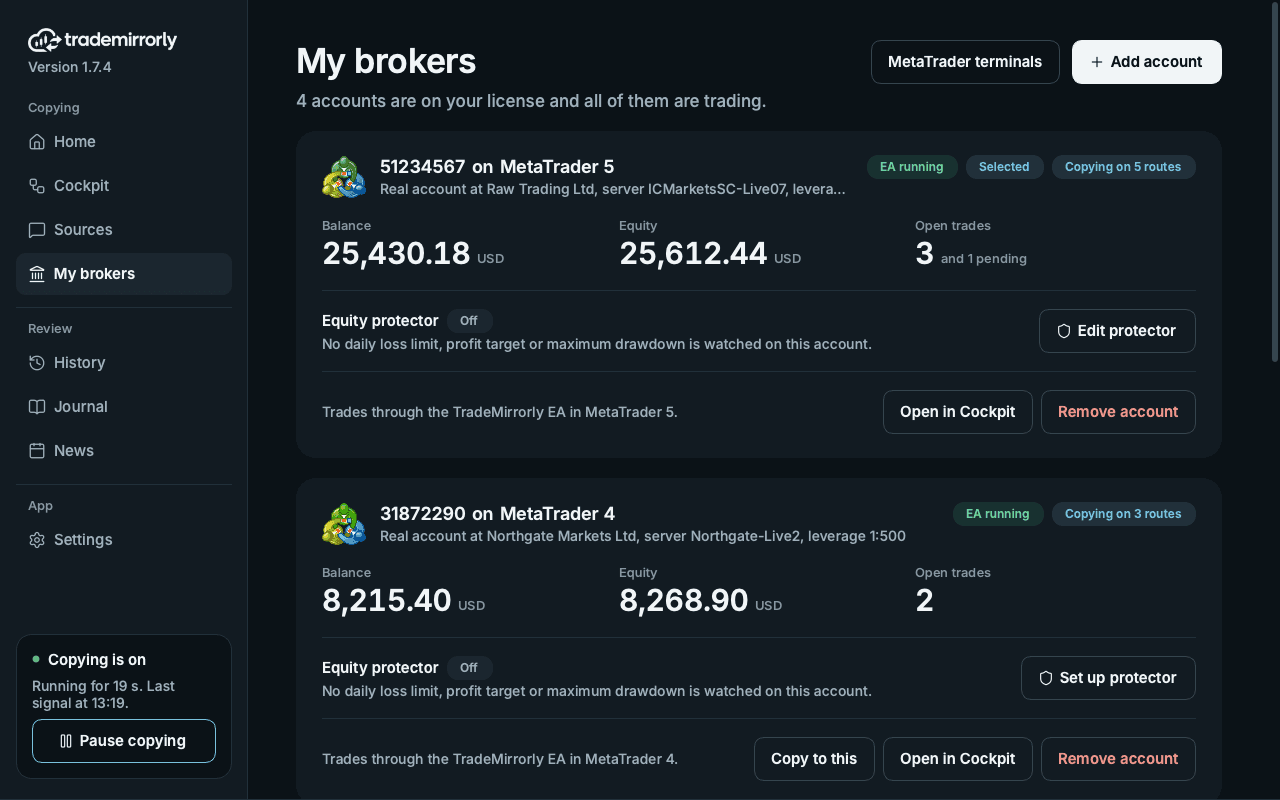
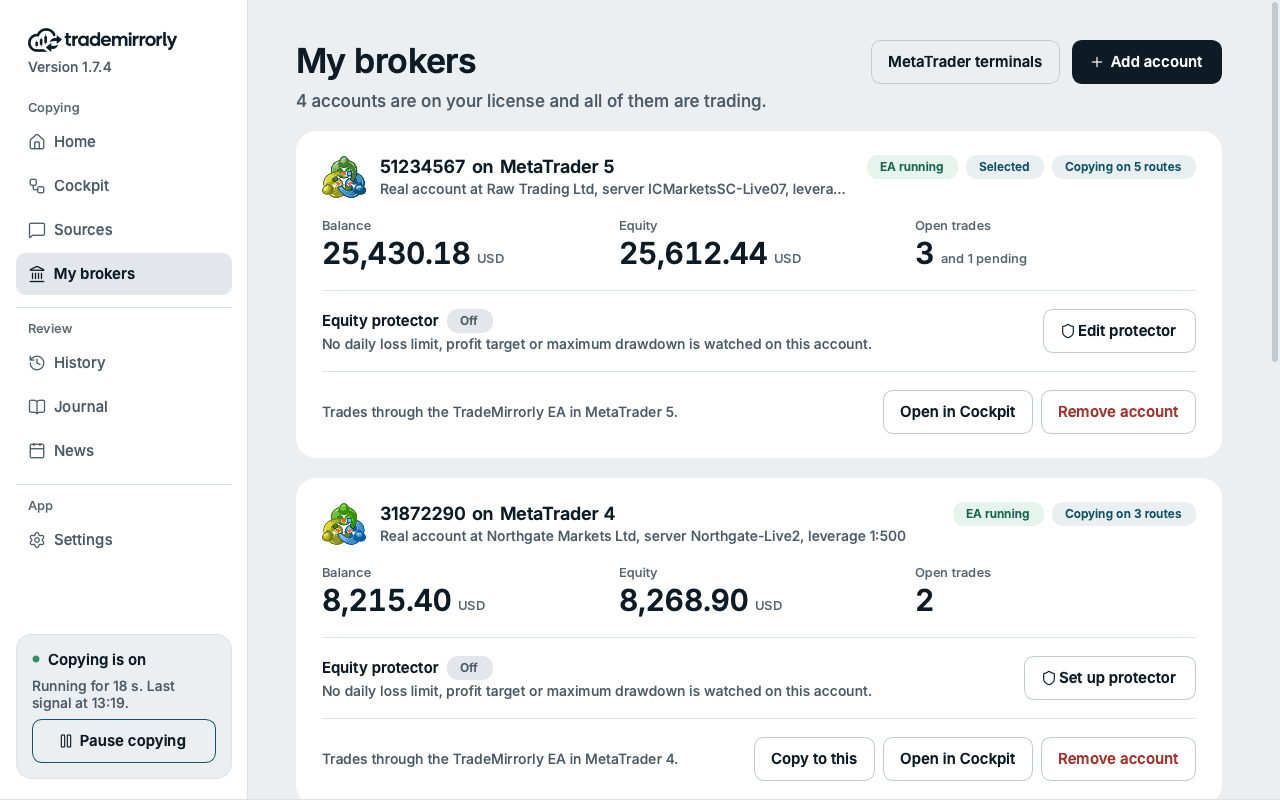
  • My brokers: every account as a card

    MT4, MT5, TradeLocker and Match-Trader, and adding one in a few clicks.

    • Account cards: the platform's logo, the account's state, the routes it copies on, balance, equity and open trades
    • Add account is its own page: pick the platform, then the account
    • For MetaTrader, Add account picks the account your EA reports, so there is nothing to type
    • The equity protector's form shows what it watches, when it steps in and what it does, with your limits in money beside it
    My brokers: four accounts on the license, all trading, with the MetaTrader 5 and MetaTrader 4 cards in viewMy brokers: four accounts on the license, all trading, with the MetaTrader 5 and MetaTrader 4 cards in view
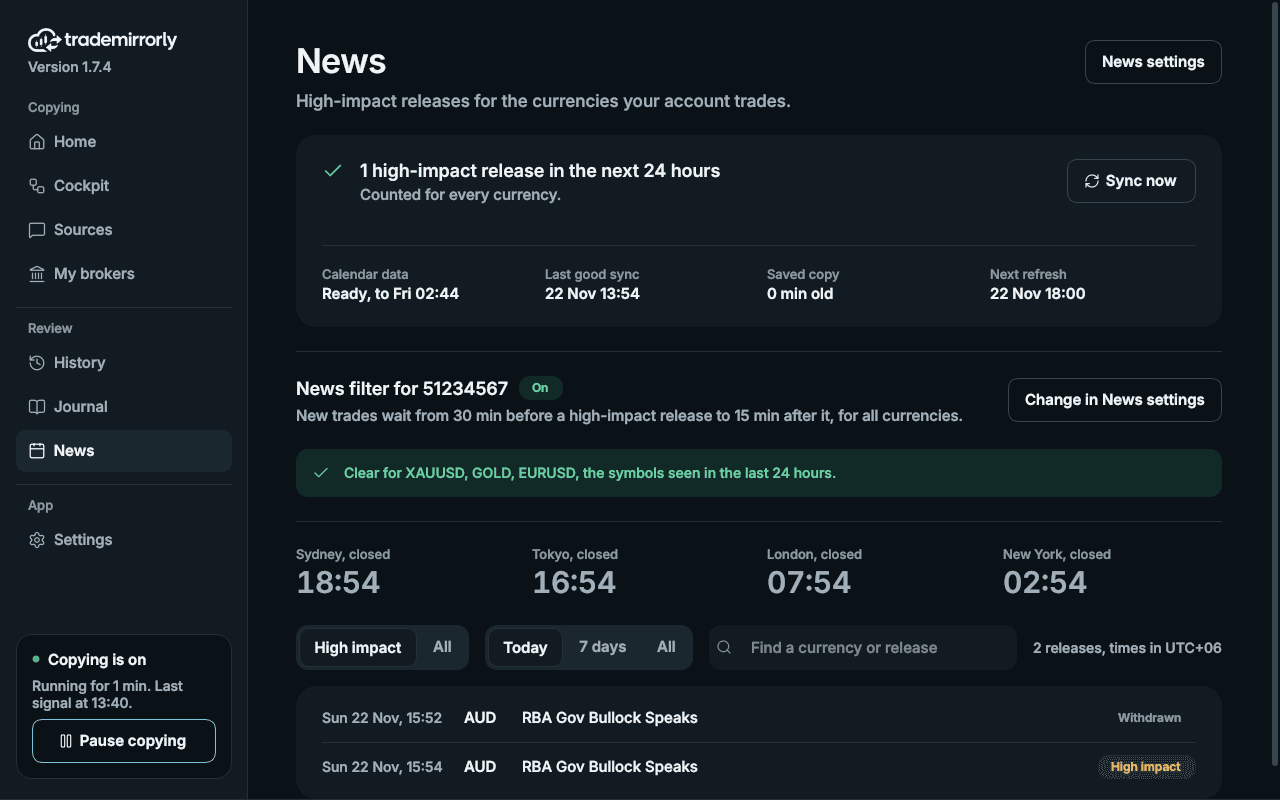
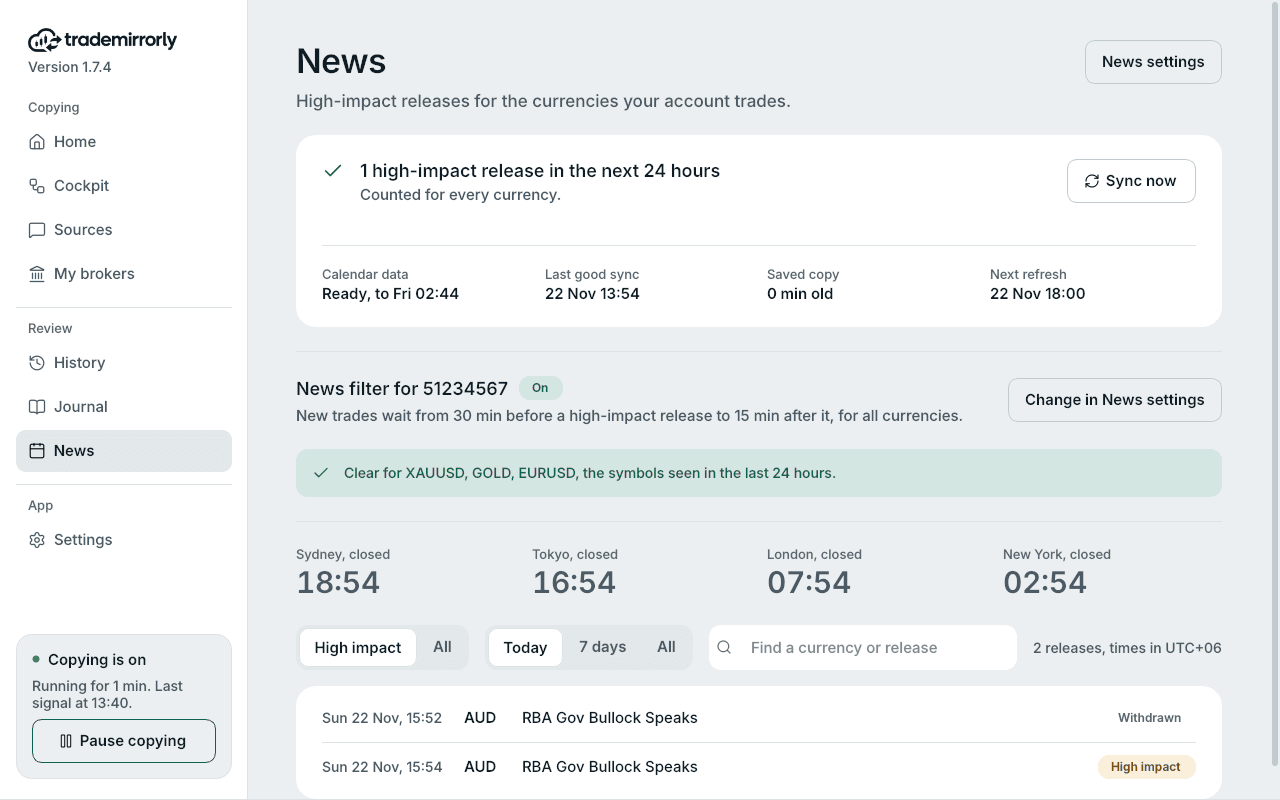
  • The news filter's calendar, from TradeMirrorly

    The economic calendar, kept fresh for everyone.

    • The economic calendar comes from TradeMirrorly's own service, with the provider as a fallback
    • Synced when the app starts and every 6 hours, whether or not your news filter is on
    • The four market sessions as clocks on the News page
    • News settings draw the wait window as a line: when new trades start waiting, the release, when copying picks up again
    The economic calendar and the news filterThe economic calendar and the news filter
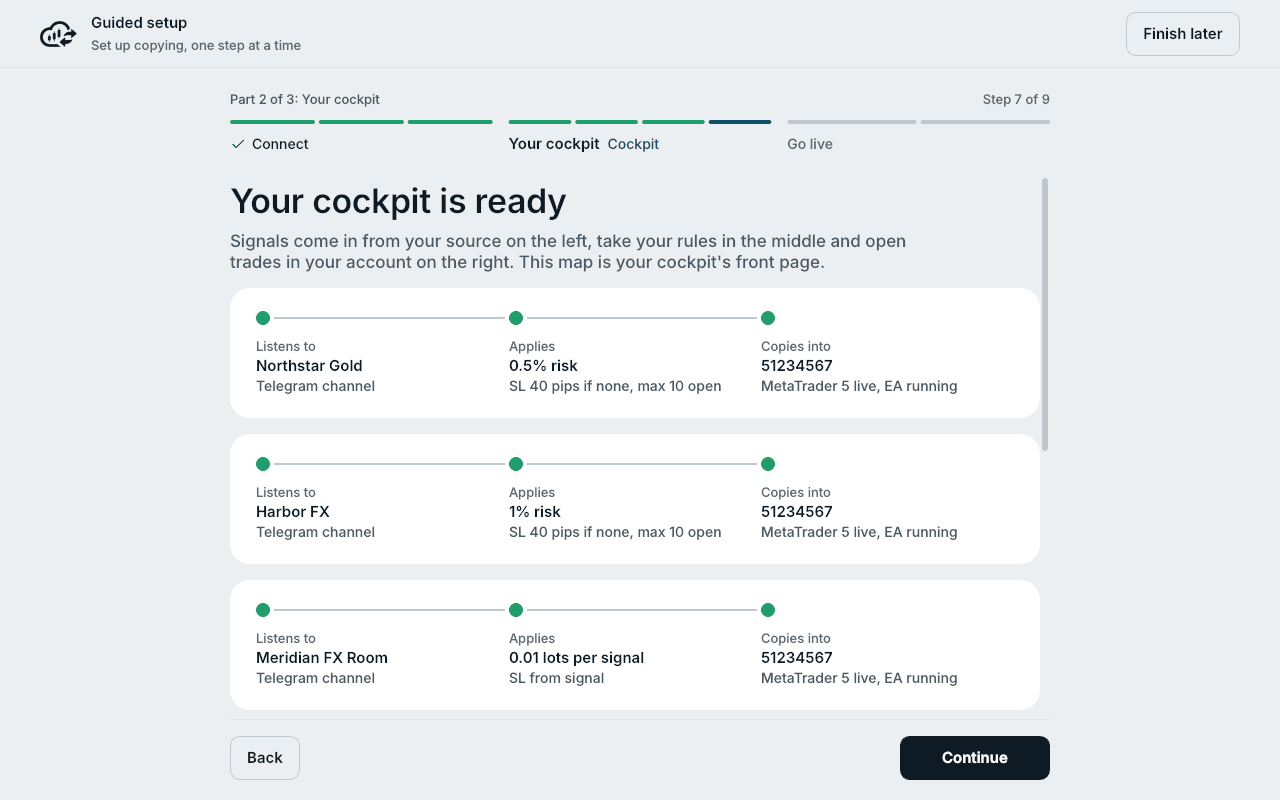
  • A calmer guided setup

    From license key to a tested route, easier to follow.

    • Pick your sources with a switch
    • The cockpit's map is as tall as its routes
    • The test shows the route it runs through
    • A calmer sign-in: one card, with the QR code on white
    The guided setup's Cockpit step: your cockpit is ready, each source with its rules and the account it copies into

Screens are from the app's demo account, with sample data, not anyone's results.

Version history

New features, version by version

Every version of TradeMirrorly since 1.5, newest first, with the month it came out. Pages are named as the app called them at the time.

  1. Latest

    TradeMirrorly 1.7: A calmer app, and a Home that shows what matters first

    TradeMirrorly 1.7 redesigns the Telegram signal copier so the most important thing on each page comes first: Home says whether copying is working, the Cockpit shows where every channel copies to, and opening the app after a break never copies old signals.

    Safer copying

    • Open the app after a break and nothing old is copied: signals, closes, breakevens and SL changes posted while it was closed are ignored, and History doesn't list them
    • A trade the app opened before you closed it is yours to manage until the app runs again; the app's own daily restart and its updates still miss nothing
    • The equity protector counts trades already open when you turn it on, so an account already past its daily loss limit or max drawdown stops at once

    A new Home

    • Home answers first: is copying working? One sentence, the button that fixes it if not, and the last signal with what happened to it
    • Your account now: equity, floating profit or loss, today's copied result with the open trades, balance, free margin, open trades and pending orders
    • Your open positions with their live profit or loss, SL and TP, beside the latest signals
    • How copying has paid, the next high-impact news with a countdown, and the market sessions
    • Each account shows its platform's logo: MetaTrader 4, MetaTrader 5, TradeLocker or Match-Trader

    Cockpit, Sources, History and Journal

    • The Cockpit shows each route from a Telegram channel or webhook to a broker account, as a map or as cards, with one Configuration button
    • Sources: your Telegram chats and your webhooks, such as TradingView alerts, on one page with a filter and a search
    • History opens a signal's details right under its row: its timeline, its route, its tickets and its prices
    • Journal (Pro): a result card, the balance line, the month as a calendar, and a Channels tab that ranks each channel by its trades

    Accounts, news and setup

    • Adding a MetaTrader account picks the account your EA reports, so there is nothing to type
    • The news filter's economic calendar comes from TradeMirrorly's own service, refreshed every 6 hours
    • A simpler guided setup: pick your sources with a switch, and the test shows the route it runs through

    The whole app

    • A calmer look on every page, a sidebar in three groups, and a status card that says whether copying is on
    • Light and dark mode switch in a quarter of a second; Ctrl+1 to Ctrl+8 open the eight pages; Settings has a search box
  2. TradeMirrorly 1.6: Guided setup, the Cockpit and the equity protector

    TradeMirrorly 1.6 added a guided setup from license key to a tested copy, the Cockpit for routing each Telegram channel to your broker accounts, MetaTrader on Mac, and the equity protector with a daily loss limit, a daily profit target and a max drawdown for a whole account.

    The equity protector

    • Set a daily loss limit, a daily profit target and a max drawdown for a whole broker account, in money or %
    • At a limit it stops new trades, or closes everything and stops, as you choose; on MT4 and MT5 the EA watches it, where the trades are

    Guided setup and the Cockpit

    • A guided setup takes you from the license key to a tested route, one task at a time, with a test order on a market that is open now at your broker
    • The Cockpit (first called the Desk) shows every route from a channel or webhook to an account, with pause and remove on each
    • Signals is renamed History, and every signal has its own page with what happened and its tickets

    Reading signals

    • TP1. and TP2. written with a dot are read as labels, not prices
    • GOLD is traded as XAUUSD with no symbol mapping, even at a broker that also lists a share called GOLD

    Mac, history and speed

    • MetaTrader on a Mac: the app brings the EA, and finds, starts and closes MetaTrader for you
    • History and the Journal read your account's copy on TradeMirrorly, so a reinstall or a new computer keeps them
    • No freeze with months of data, lists of 50 rows a page, and an expired demo account that says so
    • The market sessions in the top bar, your run of winning or losing days on Home, and an install guide with a screenshot of every step
  3. TradeMirrorly 1.5: TradeLocker, Match-Trader and the trade journal

    TradeMirrorly 1.5 copies Telegram signals to TradeLocker and Match-Trader as well as MetaTrader 4 and 5, trading those accounts directly with no EA, and adds a trade journal (Pro) for every connected broker account.

    New platforms

    • Copy Telegram signals to TradeLocker accounts, demo or live, with no EA: the app trades them itself
    • Copy to Match-Trader accounts the same way, with no EA
    • Your TradeLocker and Match-Trader sign-ins come back on a new computer

    Home and My brokers

    • A Home dashboard: the platforms you copy into, today in numbers, every account, your best channels and the next news
    • Your brokers is renamed My brokers

    The trade journal (Pro)

    • Every trade on your broker accounts, copied, manual or from another EA, with the net result, profit factor, drawdown, balance, a calendar and each symbol
    • The list of signals is renamed Signals, with the channel Scorecard

    Fixes

    • A Telegram session ended from another device no longer leaves the app stuck: it asks you to sign in again

Every feature

Everything in the app, in one list

The whole of TradeMirrorly 1.7. Every plan has all of it, except where it says Pro.

  • Sources

    Where your signals come from.

    • Telegram channels, groups and bots
    • Forum topics as sources of their own: each topic of a group can be a cockpit, with its own keywords, rules and account
    • TradingView alerts and any webhook (Pro)
    • Sign in by QR code or phone number; two-step passwords supported
    • Sources lists every Telegram chat and webhook with its id; a chat's switch pauses or resumes every cockpit it is in
    Sources: every Telegram chat with its id, a switch, and how many cockpits it is in
  • Platforms

    Where your trades go.

    • MetaTrader 4 and 5 through the TradeMirrorly EA, installed and kept up to date by the app
    • TradeLocker and Match-Trader traded by the app itself, demo or live, no EA
    • Any number of accounts within your plan; one signal to several accounts
    • The Cockpit: each source, its rules and its account as a map, one per account; New cockpit adds one
    • A guided setup in three parts (Connect, Your cockpit, Go live) with a real test order
    My brokers: four accounts on the license, all trading, with the MetaTrader 5 and MetaTrader 4 cards in viewMy brokers: four accounts on the license, all trading, with the MetaTrader 5 and MetaTrader 4 cards in view
  • Reading signals

    No keywords to set up for most channels.

    • BUY/SELL, SL, any number of TPs, entry prices, market and pending orders
    • 11 languages built in: English, Spanish, French, German, Italian, Hungarian, Swedish, Russian, Arabic, Thai and Chinese
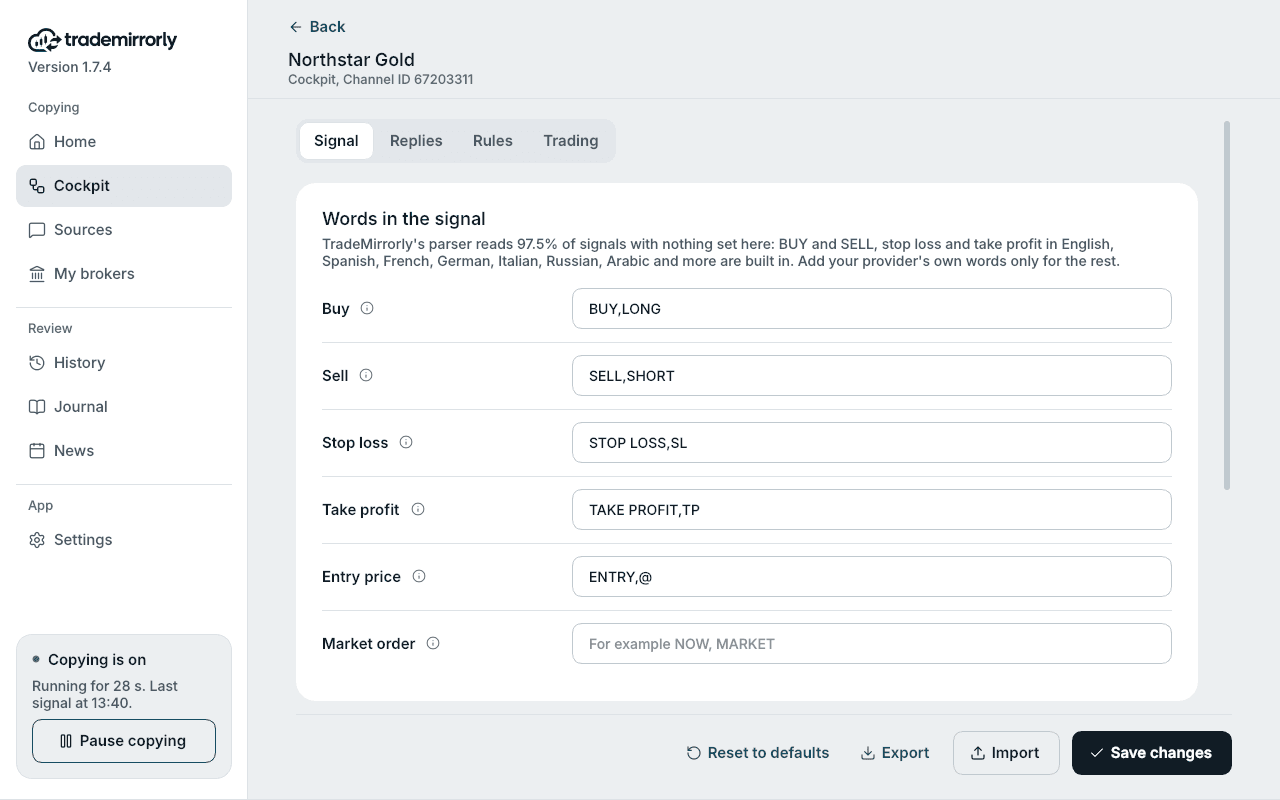
    • Each channel's own words when it needs them, with suggestions while you type
    • Replies: close, close half or part, breakeven, TP hit, move SL or TP, cancel a pending order
    • Several orders in one message
    • Edits of a signal and forwarded messages (both optional), ignore words, delays
    A channel's signal words, with the built-in reading
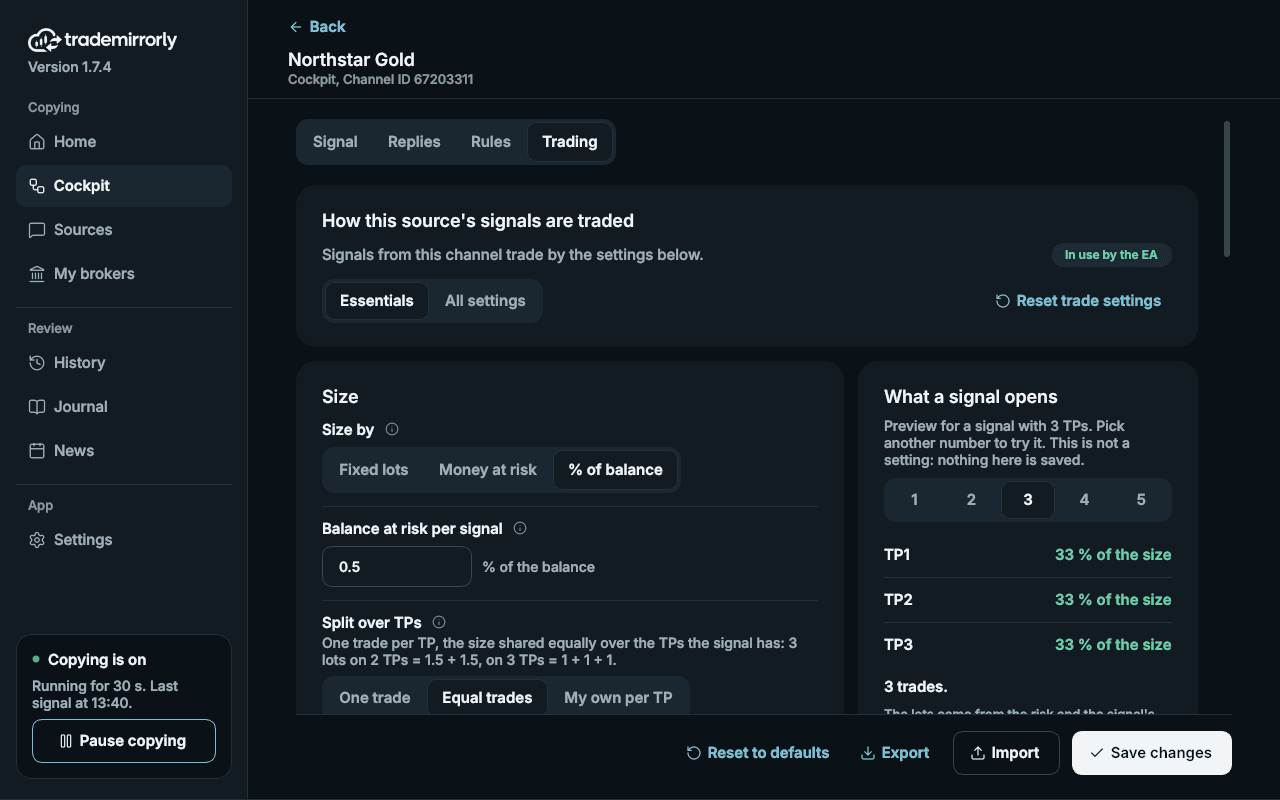
  • Trade settings (64, per channel)

    Your size and your rules, for each channel.

    • Size: lots, money at risk or % of balance; per-symbol sizes
    • Split over TPs: one trade, equal trades, or your own share per TP, with a preview of what a signal opens
    • Entry: market range, market orders only, entry/SL/TP shifts, spread in stops, reverse signals
    • SL and TP: from the signal, fixed, your own TPs, or risk:reward
    • Rules: symbol already open, close opposite trades, max open trades, max per symbol, max signal delay, daily loss limit, trading hours, skip signals with no SL or no TP
    • Management: breakeven (+ pips), partial and half close, auto breakeven, smart profit lock, move SL on TP hits, trailing stop, pending order expiry
    • Symbols: auto-match, symbol mapping, prefix and suffix, excluded and only-these symbols
    Trade settings: size by % of balance, split equally over the TPs
  • Knowing what happened

    Never learn from silence.

    • History: every signal and what became of it, and a page per signal with its timeline (received, sent, read by the EA, filled price, tickets)
    • In sync with your account: every signal, what the EA did and its result on your account page, from any browser
    • Desktop alerts, including for each trade that didn't open, with the reason
    • Channel scorecard, and NONE COPIED on a channel whose last signals all failed
    • Journal (Pro): every trade, profit factor, drawdown, balance, calendar, symbols
    • Home, in the order you look: is copying working, the account now, open positions beside the latest signals, how copying has paid beside what is coming, and your broker's prices
    • Market sessions on Home and the News page: Sydney, Tokyo, London and New York, with when each opens or closes
    TradeMirrorly Home: everything running, the MetaTrader 5 account's equity and today's copied result, open positions and the latest signalsTradeMirrorly Home: everything running, the MetaTrader 5 account's equity and today's copied result, open positions and the latest signals
  • Safety and reliability

    Built for the moments that cost money.

    • Equity protector per account: daily loss limit, daily profit target and max drawdown; stop new trades or close everything
    • The equity protector counts trades already open when you turn it on, so an account past a limit stops at once
    • News filter per account, with a policy for when the calendar can't answer
    • Never trades a stale signal (2 minutes); closes and changes still run
    • Each message copied once, however it arrived
    • Reconnects by itself and fetches what was posted meanwhile
    • Nothing a channel posted while the app was closed is copied when you open it again
    • Works offline for up to 7 days on the last license check
    • If Telegram ends the session, the app says so and opens the sign-in; your channels and settings stay as they were
    • Pause in one click: new trades stop, closes and changes keep running
    The economic calendar and the news filterThe economic calendar and the news filter
  • Your computer, your data

    What's yours stays on your machine.

    • Telegram session and trade settings stay on your computer; message text is never uploaded
    • Your account keeps History's signals (without their words) and, with Pro, the Journal's trades, so a reinstall keeps them
    • TradeLocker and Match-Trader passwords sealed by Windows or the Mac Keychain
    • Never marks messages read or reacts unless you turn it on; never shows you online
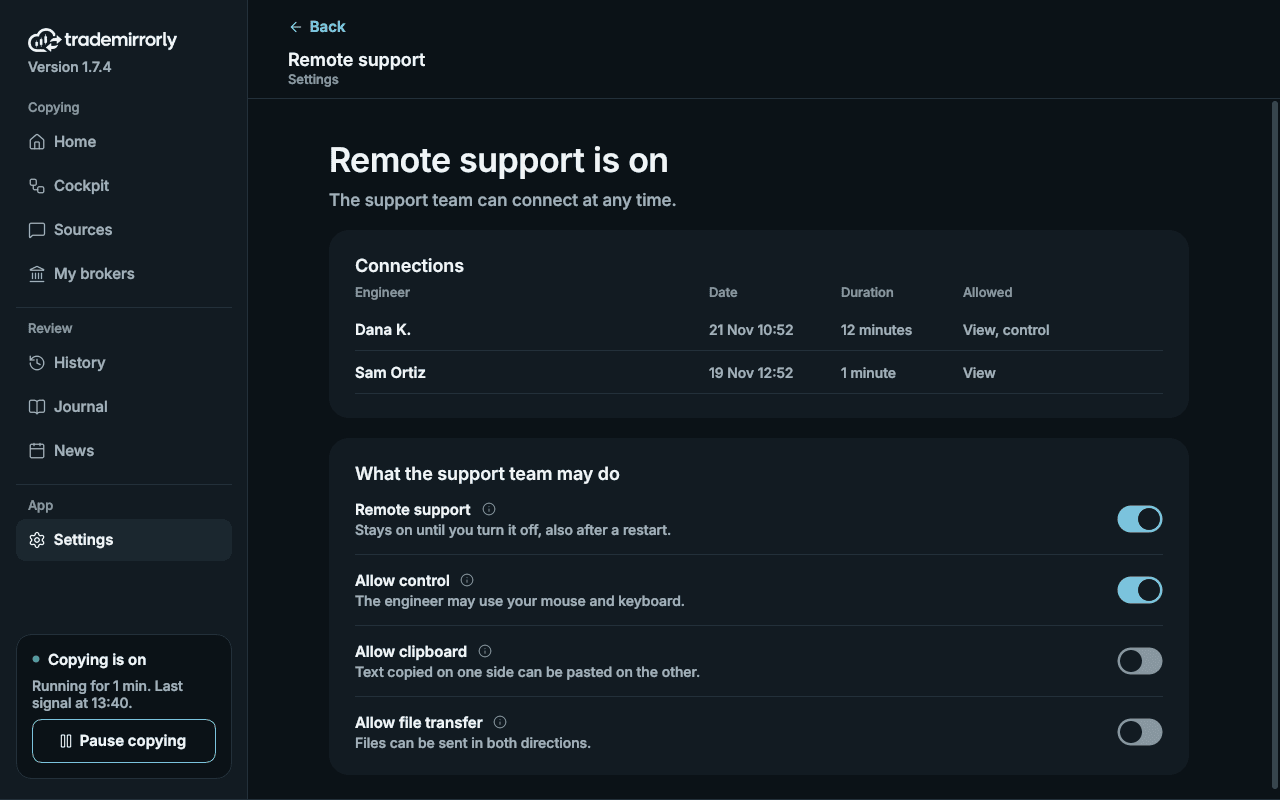
    • Remote support only when you switch it on
    Remote support switched on: each connection logged, and what the support team may do
  • The app

    Runs quietly while you get on with your day.

    • Windows and macOS; a calm design, in light or dark
    • A status card in the sidebar: whether copying is on and for how long, the last signal, and anything that needs you
    • Updates itself, and the EA with it; the app tells you when to restart MetaTrader
    • Lives in the tray; restarts itself every 12 hours to stay fresh, keeping pause and every setting
    TradeMirrorly Home: everything running, the MetaTrader 5 account's equity and today's copied result, open positions and the latest signals

Three minutes from now, you could be copying.

Start the 3-day free trial. Try it on a demo account first, and cancel anytime.